- Reduced price

Banner

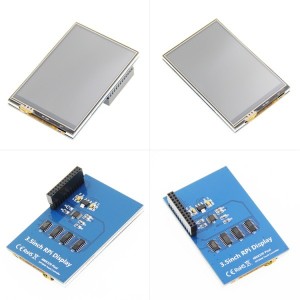
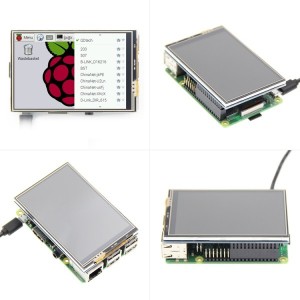
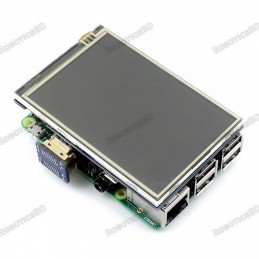
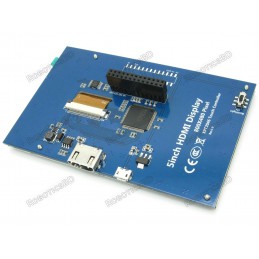
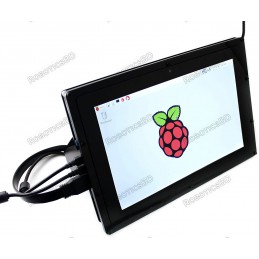
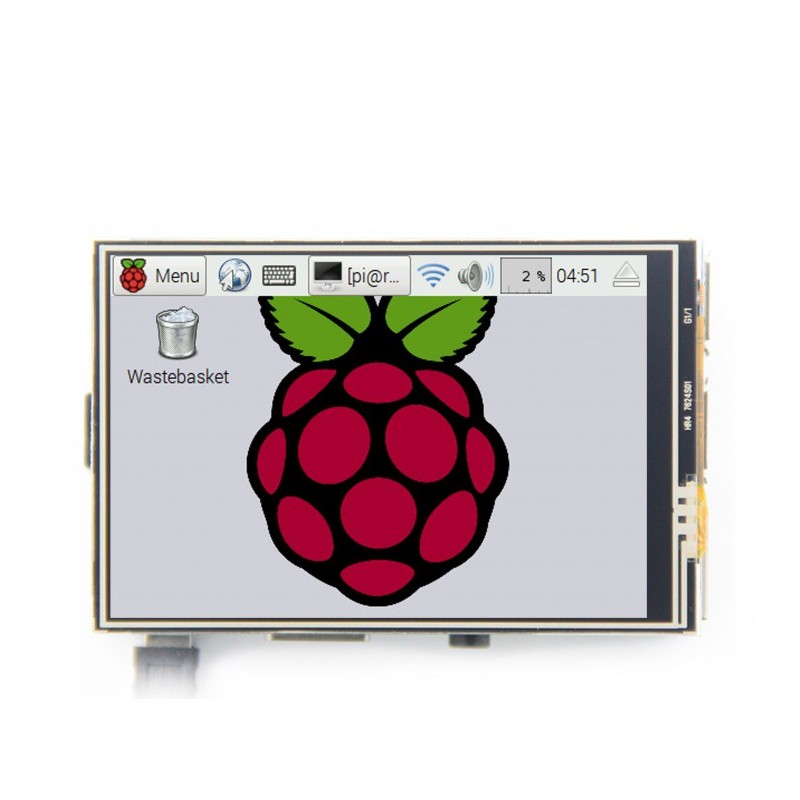
This 3.5 inches Resistive Touch Screen Display for Raspberry Pi it is an ideal alternative solution for HDMI monitors. It supports any revision of Raspberry Pi and it can be directly plugged onto the RPi board, combined with the portable power this module is a convenient Men-Machine interface for Raspberry Pi.
Driver for the touch screen display is provided along with it so that it works with custom Raspbian directly. As it supports the Raspbian system it could enable your Pi to play videos and take photos on just a touch. Additionally, it provides 17 different camera modes and support for software keyboard aiding system interaction without mouse or keyboard. The product comes in a sporty outlook with high-quality immersion gold surface plating.Featured By RoboticsBD.
Product Images are shown for illustrative purposes only and may differ from the actual product.
RoboticsBD RoboticsBD RoboticsBD RoboticsBD RoboticsBD RoboticsBD RoboticsBD RoboticsBD RoboticsBD RoboticsBD
RoboticsBD RoboticsBD RoboticsBD RoboticsBD RoboticsBD RoboticsBD RoboticsBD RoboticsBD RoboticsBD RoboticsBD
| General Specification | |
| Brand | Waveshare |
| Driver | XPT2046 |
| Backlight | LED |
| Pixel Resolution | 480 x 320 |
| Shipment Weight | 0.077 kg |
| Shipment Dimensions | 11 × 8 × 3 cm |
| Key Parameters | |
| SKU | MPI3501 |
| LCD Type | TFT |
| LCD Interface | SPI(Fmax:32MHz) |
| Touch Screen Type | Resistive |
| Touch Screen Controller | XPT2046 |
| Colors | 65536 |
| Driver IC | ILI9486 |
| Backlight | LED |
| Resolution | 320*480 (Pixel) |
| Backlight Current | 120ma |
| Power Dissipation | 0.13A*5V |
| Operating Temp. (℃) | -20~60 |
| Active Area | 48.96x73.44(mm) |
| Product Size | 85.42*55.60(mm) |
| Package Size | 118*72*34 (mm) |
| Rough Weight(Package containing) | 75 (g) |
| Interface | ||
| PIN NO. | SYMBOL | DESCRIPTION |
| 44578 | 3.3V | Power positive (3.3V power input) |
| 44596 | 5V | Power positive (5V power input) |
| 3, 5, 7, 8, 10, 12, 13, 15, 16 | NC | NC |
| 6, 9, 14, 20, 25 | GND | Ground |
| 11 | TP_IRQ | Touch Panel interrupt, low level while the Touch Panel detects touching |
| 18 | LCD_RS | Instruction/Data Register selection |
| 19 | LCD_SI / TP_SI | SPI data input of LCD/Touch Panel |
| 21 | TP_SO | SPI data output of Touch Panel |
| 22 | RST | Reset |
| 23 | LCD_SCK / TP_SCK | SPI clock of LCD/Touch Panel |
| 24 | LCD_CS | LCD chip selection, low active |
| 26 | TP_CS | Touch Panel chip selection, low active |
Please allow 5% measuring deviation due to manual measurement.
RoboticsBD RoboticsBD RoboticsBD RoboticsBD RoboticsBD RoboticsBD RoboticsBD RoboticsBD RoboticsBD RoboticsBD
This LCD Module need install driver first.
https://www.raspberrypi.org/downloads/raspbian/
If you don't know how to do that,you can refer to the Raspberry Pi office tutorial
(tested on RaspberryPi 3B+,3B,2B,2B+,1B,ZERO)
Run:
sudo rm -rf LCD-show
git clone https://github.com/goodtft/LCD-show.git
chmod -R 755 LCD-show
cd LCD-show/
sudo ./LCD35-show
Wait A Few Minutes, when the system reboot ok, you can see that.
cd LCD-show/

sudo dpkg -i -B xinput-calibrator_0.7.5-1_armhf.deb
/ect/X11/xorg.conf.d/99-calibration.conf
This method only applies to the Raspberry Pi series of display screens, other display screens do not apply.
sudo rm -rf LCD-show
git clone https://github.com/goodtft/LCD-show.git
chmod -R 755 LCD-show
cd LCD-show/
sudo ./XXX-show 90
After execution, the driver will be installed. The system will automatically restart, and the display screen will rotate 90 degrees to display and touch normally.
( ' XXX-show ' can be changed to the corresponding driver, and ' 90 ' can be changed to 0, 90, 180 and 270, respectively representing rotation angles of 0 degrees, 90 degrees, 180 degrees, 270 degrees)
cd LCD-show/
sudo ./rotate.sh 90
After execution, the system will automatically restart, and the display screen will rotate 90 degrees to display and touch normally.
( ' 90 ' can be changed to 0, 90, 180 and 270, respectively representing rotation angles of 0 degrees, 90 degrees, 180 degrees, 270 degrees)
If the rotate.sh prompt cannot be found, use Method 1 to install the latest drivers
RoboticsBD RoboticsBD RoboticsBD RoboticsBD RoboticsBD RoboticsBD RoboticsBD RoboticsBD RoboticsBD RoboticsBD
RoboticsBD RoboticsBD RoboticsBD RoboticsBD RoboticsBD RoboticsBD RoboticsBD RoboticsBD RoboticsBD RoboticsBD
Specific References
Your review appreciation cannot be sent
Report comment
Report sent
Your report cannot be sent
Write your review
Review sent
Your review cannot be sent
Reference: RBD-1387
We'll slide into your inbox when the product is back in stock.
Reference: RBD-2986
Reference: RBD-1828
We'll slide into your inbox when the product is back in stock.
Reference: RBD-0109
We'll slide into your inbox when the product is back in stock.
Reference: RBD-1596
Brand: Raspberry Pi Official
Reference: RBD-1058
Reference: RBD-0364
Reference: RBD-1067
Reference: RBD-2831
Reference: RBD-1085
Reference: RBD-2771
Brand: Waveshare
Reference: RBD-3548
Reference: RBD-3254
Brand: Raspberry Pi Official
We'll slide into your inbox when the product is back in stock.
Reference: RBD-3840
Reference: RBD-1702
Reference: RBD-0740
Brand: Raspberry Pi Official
We'll slide into your inbox when the product is back in stock.
Reference: RBD-1731
Reference: 0245
Reference: RBD-1167
Brand: Waveshare
Reference: RBD-0110
Reference: RBD-0391
Reference: RBD-0872
Brand: Raspberry Pi Official
Reference: RBD-1142
Brand: Raspberry Pi Official
We'll slide into your inbox when the product is back in stock.
Reference: RBD-1251
Reference: RBD-1167
Brand: Waveshare
Reference: RBD-0947
Reference: RBD-1735
Brand: Waveshare
check_circle
check_circle