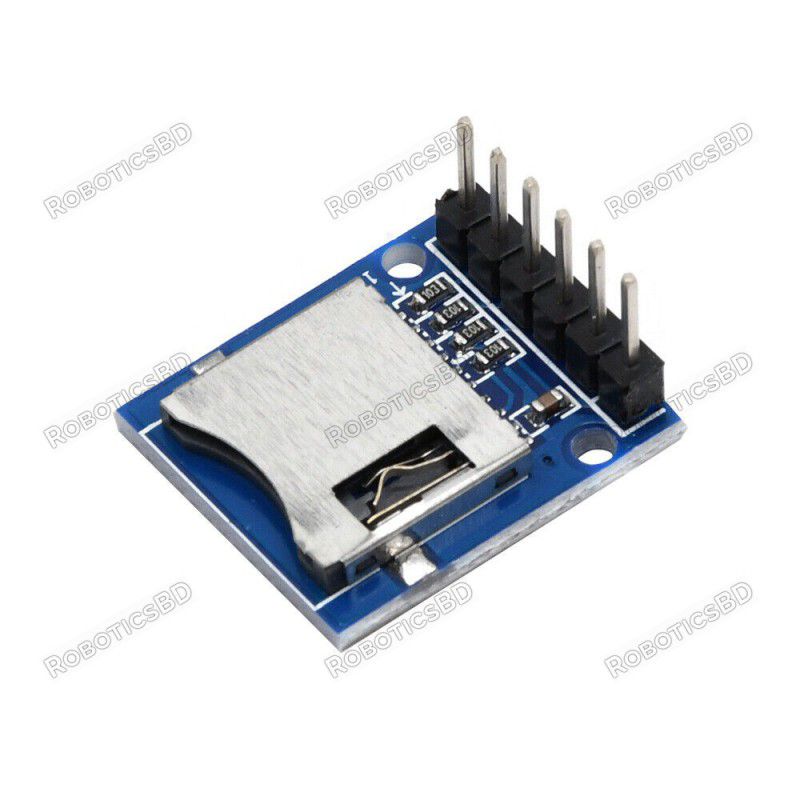
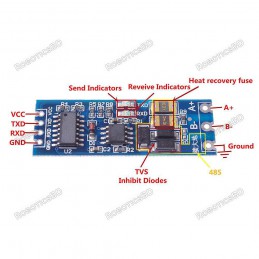
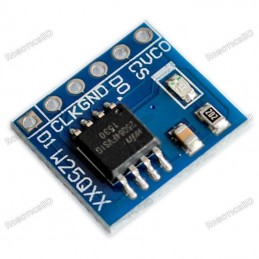
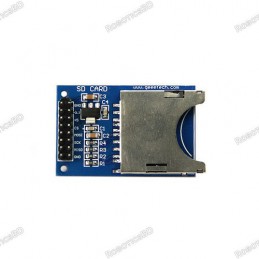
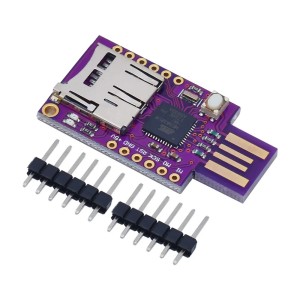
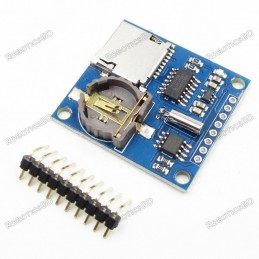
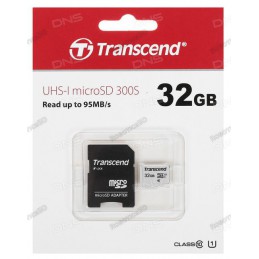
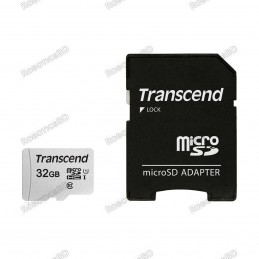
The MicroSD Card Module provides a simple and efficient way to add external storage to your microcontroller projects. Using the SPI bus and operating at 3.3V, this module allows you to read and write data directly to MicroSD cards, making it suitable for applications such as temperature logging, data recording, and serving large amounts of data like images or text. When used with 3.3V microcontrollers (STM32, ESP32), it connects directly, while 5V microcontrollers (Arduino Uno, Mega) require level shifters to avoid damage. With typical current usage between 15–30mA during read operations and up to 100mA during writes, it is compact yet powerful for handling long-term data storage. Featured By RoboticsBD.
Product Images are shown for illustrative purposes only and may differ from the actual product.
RoboticsBD RoboticsBD RoboticsBD RoboticsBD RoboticsBD RoboticsBD RoboticsBD RoboticsBD RoboticsBD RoboticsBD
Features:
Compatible with standard MicroSD cards.
Operates at 3.3V logic level for safe card operation.
SPI interface for easy microcontroller integration.
Includes 10K pull-up resistors on data lines.
Typical current draw: 15–30mA (read), up to 100mA (write).
Supports data logging, large data serving, and storage expansion.
Best used with 3.3V MCUs; requires level shifting for 5V systems.
Compact size with low inactive current draw (~500µA).
RoboticsBD RoboticsBD RoboticsBD RoboticsBD RoboticsBD RoboticsBD RoboticsBD RoboticsBD RoboticsBD RoboticsBD
Applications:
Temperature and environmental data logging.
Long-term project data recording.
Storing and serving images or graphical data.
Expanding Arduino or STM32 project storage capacity.
Robotics and IoT systems requiring large storage.
Educational microcontroller and embedded systems projects.
RoboticsBD RoboticsBD RoboticsBD RoboticsBD RoboticsBD RoboticsBD RoboticsBD RoboticsBD RoboticsBD RoboticsBD
| General Specifications |
| Interface | SPI |
| Operating Voltage | 3.3V |
| Logic Level Compatibility | 3.3V (requires level shifting for 5V MCUs) |
| Current Draw (Inactive) | ~500µA |
| Current Draw (Read) | 15–30mA |
| Current Draw (Write) | Up to 100mA |
| Pull-up Resistors | 10K to 3.3V |
| Pin Connections (Arduino) | CS: 10 (Uno) / 53 (Mega), MOSI: 11 / 51, CLK: 13 / 52, MISO: 12 / 50 |
| Compatible MCUs | Arduino, STM32, ESP32, Mega 2560, others with SPI |
| Shipment Weight | 0.0025 kg |
| Shipment Dimensions | 2 × 2 × 2 cm |
Please allow 5% measuring deviation due to manual measurement.
RoboticsBD RoboticsBD RoboticsBD RoboticsBD RoboticsBD RoboticsBD RoboticsBD RoboticsBD RoboticsBD RoboticsBD
Documentation:
Module Connections
The module has a male header installed. The module can be inserted directly into a breadboard which is handy since the pin labeling is visible or female Dupont style jumpers can be used to make connections to it.
1×6 Header
- 3V3 = 3.3V power.
- CS = SPI Chip Select
- MOSI = SPI MOSI, connects to MOSI on MCU
- CLK = SPI Clock
- MISO = SPI MISO, connects to MISO on MCU
- GND = Ground, must be common with the MCU
RoboticsBD RoboticsBD RoboticsBD RoboticsBD RoboticsBD RoboticsBD RoboticsBD RoboticsBD RoboticsBD RoboticsBD
OUR EVALUATION RESULTS:
In the example we are using here, we are using the Mega 2560 Pro with level shifters.MicroSD Card Module - In Use
Insert a MicroSD card into the module and wire up 3.3V and ground and the SPI pins as follows:
- CS – Uno pin 10, Mega 2560 pin 53
- MOSI – Uno pin 11, Mega 2560 pin 51
- CLK – Uno pin 13, Mega 2560 pin 52
- MISO – Uno pin 12, Mega 2560 pin 50
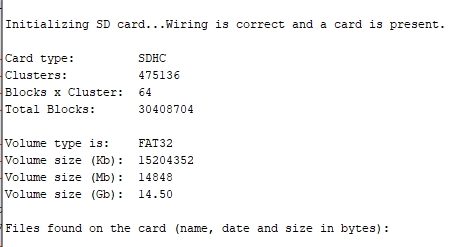
The IDE example program SD/CardInfo is a good way to test the basic setup and card. A slightly pruned down version is shown below.

You may need to change this line of code to match the SPI chip select pin for your MCU: const int chipSelect = 53;
An example output of the program is shown below.
RoboticsBD RoboticsBD RoboticsBD RoboticsBD RoboticsBD RoboticsBD RoboticsBD RoboticsBD RoboticsBD RoboticsBD
MicroSD Card Module Test Program
/*
  SD card test

  This example shows how use the utility libraries on which the'
  SD library is based in order to get info about your SD card.
  Very useful for testing a card when you're not sure whether its working or not.

 Connect 3.3V power and ground.
 Connect MOSI to MOSI - pin 11 on Uno, 51 on Mega 2560
 Connect MISO to MISO - pin 12 on Uno, 50 on Mega 2560
 Connect CLK to CLK - pin 13 on Uno, 52 on Mega 2560
 Connect CS to SPI Chip select - Pin 10 on Uno, 53 on Mega 2560
*/
// include the SD library:
#include <SPI.h>
#include <SD.h>

// set up variables using the SD utility library functions:
Sd2Card card;
SdVolume volume;
SdFile root;

// change this to match your SD shield or module;
const int chipSelect = 53;

void setup() {
  Serial.begin(9600);
  }

  Serial.print("nInitializing SD card...");

  // we'll use the initialization code from the utility libraries
  // since we're just testing if the card is working!
  if (!card.init(SPI_HALF_SPEED, chipSelect)) {
    Serial.println("initialization failed. Things to check:");
    Serial.println("* is a card inserted?");
    Serial.println("* is your wiring correct?");
    Serial.println("* did you change the chipSelect pin to match your shield or module?");
    while (1);
  } else {
    Serial.println("Wiring is correct and a card is present.");
  }

  // print the type of card
  Serial.println();
  Serial.print("Card type:         ");
  switch (card.type()) {
    case SD_CARD_TYPE_SD1:
      Serial.println("SD1");
      break;
    case SD_CARD_TYPE_SD2:
      Serial.println("SD2");
      break;
    case SD_CARD_TYPE_SDHC:
      Serial.println("SDHC");
      break;
    default:
      Serial.println("Unknown");
  }

  // Now we will try to open the 'volume'/'partition' - it should be FAT16 or FAT32
  if (!volume.init(card)) {
    Serial.println("Could not find FAT16/FAT32 partition.nMake sure you've formatted the card");
    while (1);
  }

  Serial.print("Clusters:          ");
  Serial.println(volume.clusterCount());
  Serial.print("Blocks x Cluster:  ");
  Serial.println(volume.blocksPerCluster());

  Serial.print("Total Blocks:      ");
  Serial.println(volume.blocksPerCluster() * volume.clusterCount());
  Serial.println();

  // print the type and size of the first FAT-type volume
  uint32_t volumesize;
  Serial.print("Volume type is:    FAT");
  Serial.println(volume.fatType(), DEC);

  volumesize = volume.blocksPerCluster();    // clusters are collections of blocks
  volumesize *= volume.clusterCount();       // we'll have a lot of clusters
  volumesize /= 2;                           // SD card blocks are always 512 bytes (2 blocks are 1KB)
  Serial.print("Volume size (Kb):  ");
  Serial.println(volumesize);
  Serial.print("Volume size (Mb):  ");
  volumesize /= 1024;
  Serial.println(volumesize);
  Serial.print("Volume size (Gb):  ");
  Serial.println((float)volumesize / 1024.0);

  Serial.println("nFiles found on the card (name, date and size in bytes): ");
  root.openRoot(volume);

  // list any files in the card with date and size
  root.ls(LS_R | LS_DATE | LS_SIZE);
}

void loop(void) {
}
RoboticsBD RoboticsBD RoboticsBD RoboticsBD RoboticsBD RoboticsBD RoboticsBD RoboticsBD RoboticsBD RoboticsBD
Package Includes:
1 x MicroSD Card Module
RoboticsBD RoboticsBD RoboticsBD RoboticsBD RoboticsBD RoboticsBD RoboticsBD RoboticsBD RoboticsBD RoboticsBD
RoboticsBD RoboticsBD RoboticsBD RoboticsBD RoboticsBD RoboticsBD RoboticsBD RoboticsBD RoboticsBD RoboticsBD