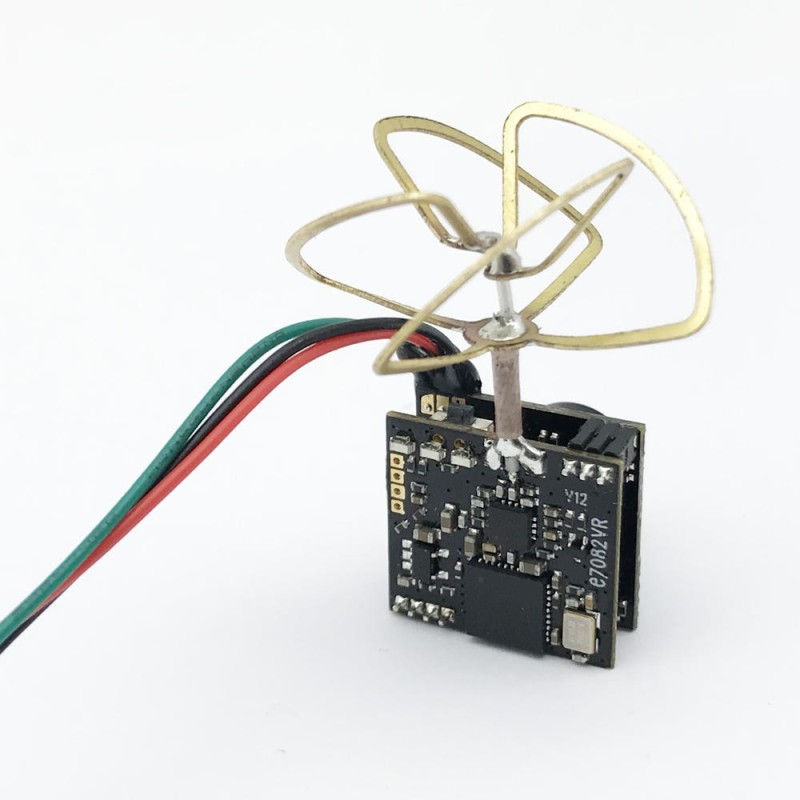
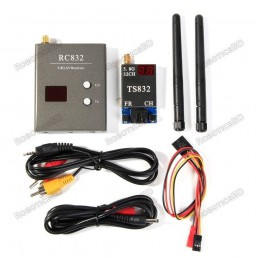
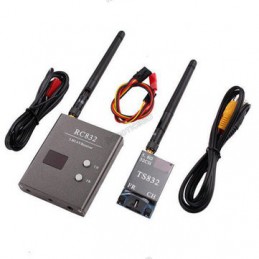
EWRF 7082VR 5.8G 48CH 25mW/100mW/200mW/OFF Power Adjustable AIO FPV Transmitter for FPV RC Drone
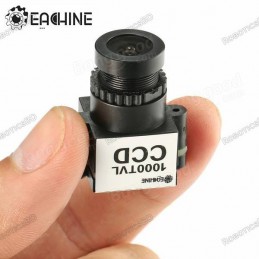
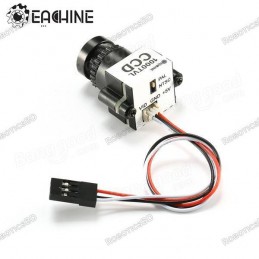
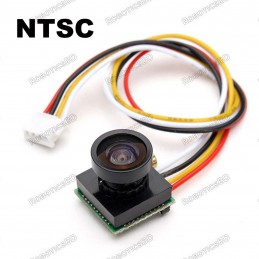
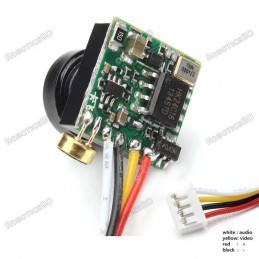
The receiver receives video or photos from the FPV camera. As a result, a camera is necessary for the drone’s construction. This FPV camera support both PAL and NTSC Transmission protocol system which broadcasts data over-the-air signals to your Receiver and the Lens can be tilted up to 110 degrees. Optimized for high-speed FPV flying, we have improved low light handling and cut down the latency below 1ms. Featured By RoboticsBD.
Product Images are shown for illustrative purposes only and may differ from the actual product.
RoboticsBD RoboticsBD RoboticsBD RoboticsBD RoboticsBD RoboticsBD RoboticsBD RoboticsBD RoboticsBD RoboticsBD
protocol system which broadcasts
speed FPV flying, we have improved low light handling and cut down the latency below 1ms. RoboticsBD
Features :
- Adjustable 4 modes:25mW/100mW/200mW/OFF
- a700VTL camera,120o field of view
- Channel changes through S.BUS
- Clean powerup and channel switching without interference to others
- Miniature and lightweight design
- Weight:4.4g
User Guide:
LED indication:
* The red LED indicates the state of working mode or the item when setting the VTX(flashing 1 time means selecting the channels, flashing 2 times means selecting the bands, flashing 3 times means selecting the power levels).
* The blue LED indicates the state of Pitmode or the value of an item when setting the VTX( e.g. when selecting the channels, 3 times of flashing means channel 3. When selecting the bands, 3 times of flashing means band C.As for the item of power levels,3 times of flashing means at the power level of 200mW)
* The green LED flashing indicates that the VTX overheat protection is working, the power level will go down. RoboticsBD
Working mode indication:
* After powering up, the red & blue LEDs will signal the following three items of VTX in turn: channel, band and power level (the flashing times of the red and blue LEDs indicate the item and the value respectively). After that, the LEDs indicate the working modes.
* Normal: The red & blue LEDs are on.
* Pitmode: The red LED is on and the blue LED is off.
Setting:
* Press and hold the button until the red LED flash 1 time which means the item of the channel selecting, then press the button can select the channels (blue LED flashing times corresponds to the channel 1-8).
* Press and hold the button again, the red LED will flash 2 times which means the item of band selecting, then press the button can select the band (blue LED flashing times corresponds to the band A-F).
* Press and hold the button again, the red LED will flash 3 times which means the item of power level selecting, then press the button can select the power (blue LED flashing times corresponds to the power level).
* Finally, press and hold the button, save and exit the setting of VTX (This step is essential for setting).
* Press the button twice will toggle the ON/OFF of Pitmode. RoboticsBD
SBUS setting
* Connected to the 6th channel of the receiver ,turn back and forth the switch can change channels. The operation similar to key trigger mode.
RoboticsBD RoboticsBD RoboticsBD RoboticsBD RoboticsBD RoboticsBD RoboticsBD RoboticsBD RoboticsBD RoboticsBD
| General Specification |
| Frequency | 5.8G 48CH |
| Lense Viewing Angle (FOV) | 110 ° |
| Horizontal Resolution (TVL) | 1000 |
| Image Sensor | 1/3 "CCD |
| Minimum Illumination | 0.08Lux/ F1.2 |
| Operating Temperature Range (°C) | 0 to 40 |
| Operating Voltage (VDC) | 3.6 ~ 5 |
| Input Voltage Range(VDC) | 5 |
| Working Current | 135±5 mA. |
| Dimensions in mm (LxWxH) | 24 x 28 x 17 |
| Weight (gm) | 10 |
| Shipment Weight | 0.015 kg |
| Shipment Dimensions | 5 × 3 × 1 cm |
Please allow 5% measuring deviation due to manual measurement.
RoboticsBD RoboticsBD RoboticsBD RoboticsBD RoboticsBD RoboticsBD RoboticsBD RoboticsBD RoboticsBD RoboticsBD
Package Includes:
1 x 1000TVL Camera.
1 x Cable.
1 x Lens Cover.
RoboticsBD RoboticsBD RoboticsBD RoboticsBD RoboticsBD RoboticsBD RoboticsBD RoboticsBD RoboticsBD RoboticsBD
RoboticsBD RoboticsBD RoboticsBD RoboticsBD RoboticsBD RoboticsBD RoboticsBD RoboticsBD RoboticsBD RoboticsBD