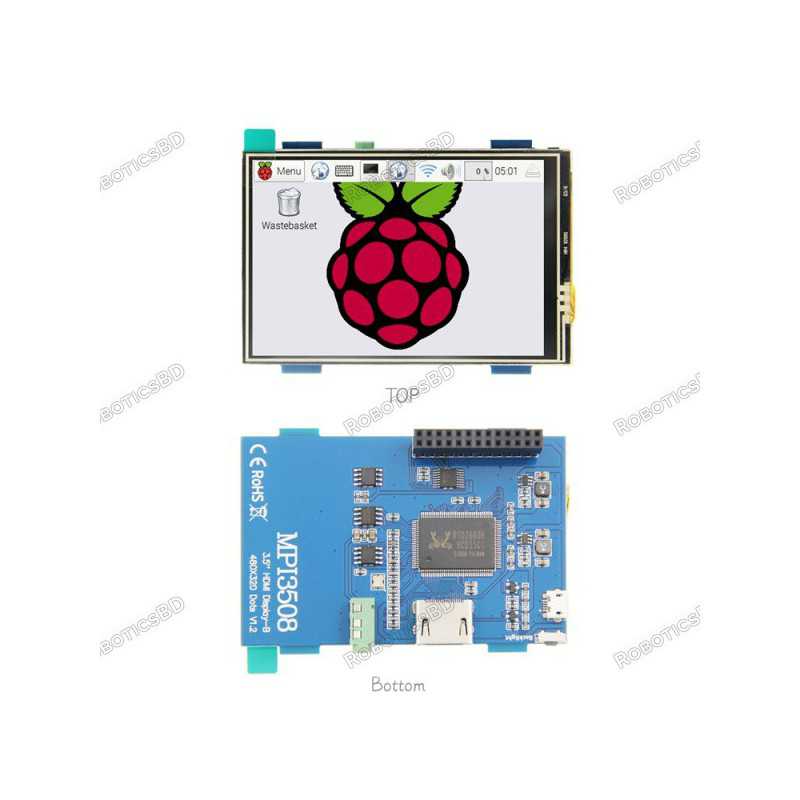
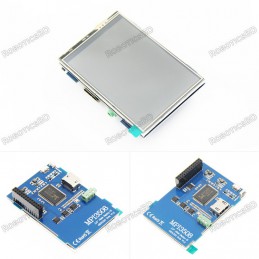
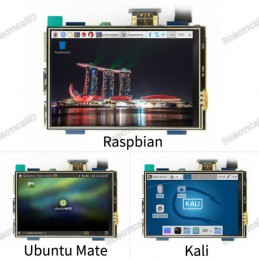
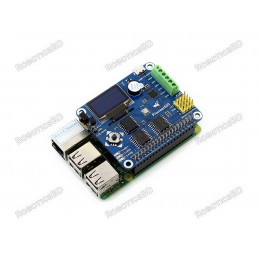
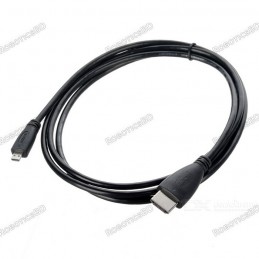
This 3.5 inches Resistive Touch Screen Display for Raspberry Pi it is an ideal alternative solution for HDMI monitors. It supports any revision of Raspberry Pi and it can be directly plugged onto the RPi board, combined with the portable power this module is a convenient Men-Machine interface for Raspberry Pi.
Product Images are shown for illustrative purposes only and may differ from the actual product.
RoboticsBD RoboticsBD RoboticsBD RoboticsBD RoboticsBD RoboticsBD RoboticsBD RoboticsBD RoboticsBD RoboticsBD
Features:
- 3.5inch standard display, support HDMI input, refresh rate above 60FPS
- Physical resolution 480x320, configurable software resolution up to 1920x1080
- It is compatible with mainstream mini PC such as Raspberry Pi, BB Black, Banana Pi
- It can also be used as a general-purpose HDMI display, connecting computers, TV boxes, Microsoft Xbox360, SONY PS4, Nintendo Switch and so on
- Used as a Raspberry Pi display that supports Raspbian, Ubuntu, Kodi, Win10 IOT, single-touch, free drive
- Work as a PC monitor, support Win7, Win8, Win10 system (No touch Function)
- Support HDMI audio output,Backlight brightness can be adjusted
- CE, RoHS certification
RoboticsBD RoboticsBD RoboticsBD RoboticsBD RoboticsBD RoboticsBD RoboticsBD RoboticsBD RoboticsBD RoboticsBD
Hardware Description:
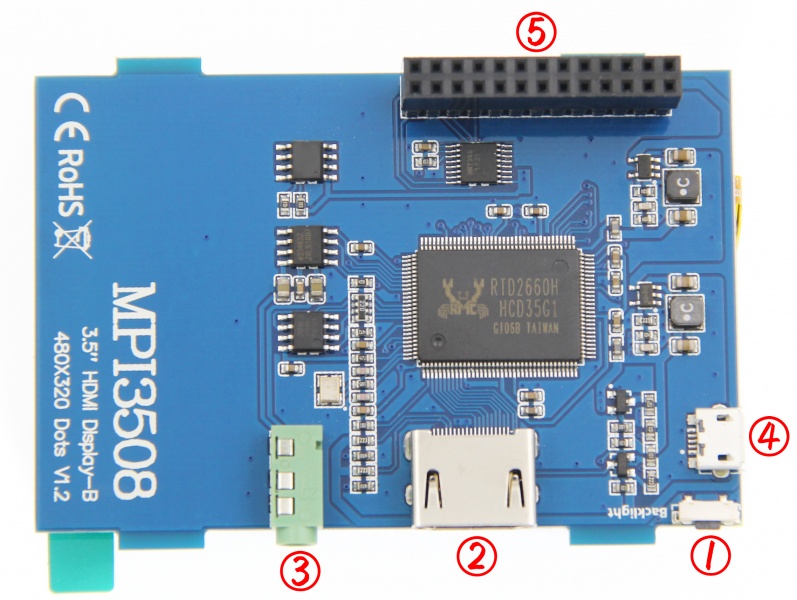
- Backlight button: backlight brightness adjustment button, short press backlight changes by 10%, long press 3 seconds to close backlight
- HDMI interface: HDMI signal input interface
- Amplifier interface: HDMI audio output interface
- USB power supply interface: provide power for ordinary display (5V 1A)
- Transaction raspberry pie 26PIN base: gets power and return touch from this area when used as a raspberry pie monitor
RoboticsBD RoboticsBD RoboticsBD RoboticsBD RoboticsBD RoboticsBD RoboticsBD RoboticsBD RoboticsBD RoboticsBD
| General Specification |
| Size | 3.5 inch |
| Driver | MPI3508 |
| Physical Resolution | Physical Resolution 480×320(dots) |
| Software adjustable resolution | 480×320~1920×1080(dots) recommended 3: 2 |
| Touch | Resistance Touch |
| Power Dissipation | 0.20A x 5V (Brightness @100%) 0.15A x 5V (Backlight close) |
| Package Size | 143 x 134 x 51 (mm) |
| Shipment Weight | 0.118 kg |
| Shipment Dimensions | 15 × 13 × 5 cm |
RoboticsBD RoboticsBD RoboticsBD RoboticsBD RoboticsBD RoboticsBD RoboticsBD RoboticsBD RoboticsBD RoboticsBD
Please allow 5% measuring deviation due to manual measurement.
Documentation:
How to use with Raspbian/Ubuntu Mate/ Kali/ Retropie System:
Method 1: quick install (raspberry pi needs Internet connection)
Step 1, Install Raspbian official image
- Download the latest image from the official download.
- Install the system according to the official tutorial steps.
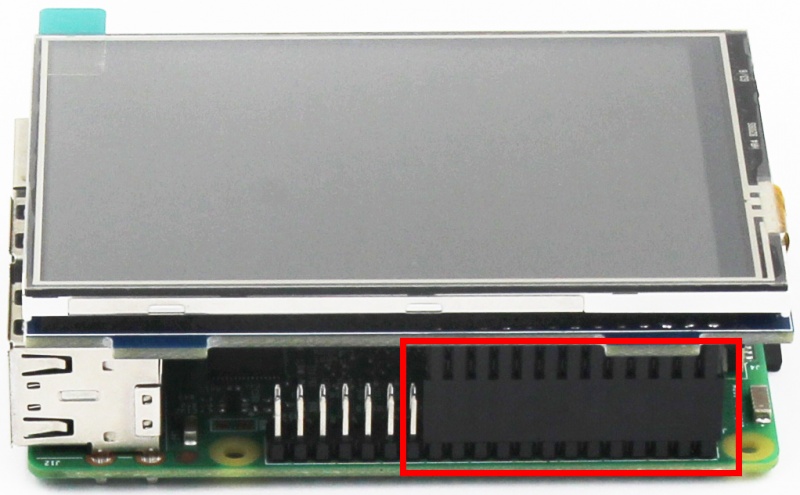
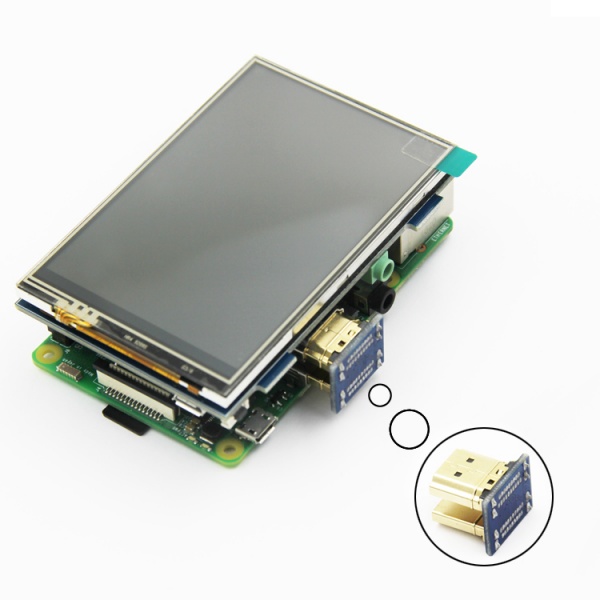
Step 2: insert the SD card into the raspberry pie and connect the hardware as shown in the picture:
Step 3,Install LCD driver
log in the raspberry pie system with Putty connection to the user command line (initial username: PI password :raspberry) 2) execute the following command (Mouse Right-click can paste the code in Putty):
sudo rm -rf LCD-show
git clone https://github.com/goodtft/LCD-show.git
chmod -R 755 LCD-show
cd LCD-show/
sudo ./MPI3508-show
After executing the above command, the system will restart automatically, and display and touch will be OK.
Method 2: offline installation
Step 1: install the official image of Raspbian/Ubuntu
- Download the latest Raspbian or Ubuntu image from the official website https://www.raspberrypi.org/downloads/
- Format the TF card with SDFormatter,
- Use Win32DiskImager to burn the official image to the TF card.
Step 2, modify the "config.txt"
- After the step 1 completion of burning in the CD Driver in the folder "show-LCD.tar.gz" copy to TF-card root directory,
- Open the config.txt file in TF-card root directory and add the following code to the end of the file. Save and colse TF card:
hdmi_force_hotplug=1
config_hdmi_boost=7
hdmi_drive=2
hdmi_force_hotplug=1
hdmi_group=2
hdmi_mode=87
hdmi_cvt 480 320 60 6 0 0 0
Step 3: insert the SD card into the raspberry pie and connect the hardware
Step 4: power the raspberry, connect the mouse keyboard, and open the terminal terminal terminal on the raspberry pie:
RoboticsBD RoboticsBD RoboticsBD RoboticsBD RoboticsBD RoboticsBD RoboticsBD RoboticsBD RoboticsBD RoboticsBD
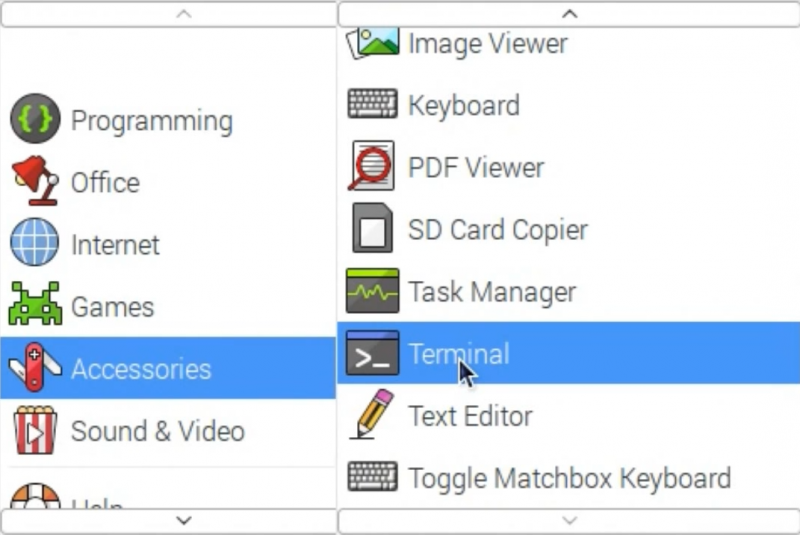
Step 5. Enter the following instructions in the terminal terminal:
cd /boot
cp LCD-show.tar.gz ~
cd ~
sudo tar zxvf LCD-show.tar.gz
cd LCD-show/
sudo ./MPI3508-show
RoboticsBD RoboticsBD RoboticsBD RoboticsBD RoboticsBD RoboticsBD RoboticsBD RoboticsBD RoboticsBD RoboticsBD
How to use as PC monitor
- Connect the computer HDMI output signal to the LCD HDMI interface by using the HDMI cable
- Connect the LCD's USB Power interface to the USB port of the device
- If there are several monitors, please unplug other monitor connectors first, and use LCD as the only monitor for testing.
- Note: touch function can only be used for raspberry pi.
Resource
- How_to_install_the_LCD_driver_V1.2
- How_to_install_matchbox-keyboard
- How_to_rotate_the_display_direction
- How_to_use_Raspberry_Pi(Download,Format,Burn,SSH,PuTTy)-V1.0.pdf
- How_to_change_display_direction-GPIO-Resistive_Touch-V1.2
- MPI3508-Quick-Start-V1.3
- MPI3508-3.5inch_HDMI_Display_B_User_Manual-V1.1
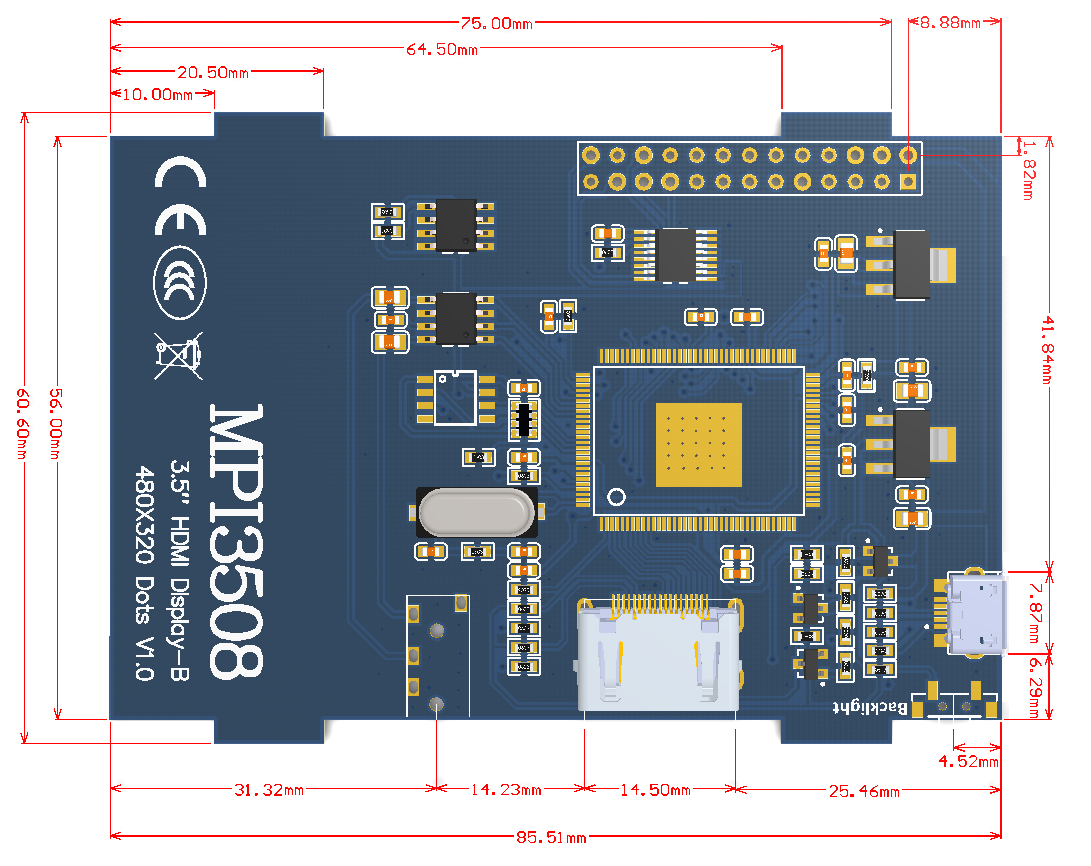
- Product size.
RoboticsBD RoboticsBD RoboticsBD RoboticsBD RoboticsBD RoboticsBD RoboticsBD RoboticsBD RoboticsBD RoboticsBD
Driver download
- download:LCD-show.tar.gz.
Images download
If you have difficulty installing the driver, or if you still can't use the display properly after installing the driver, Please Try wiki's Configured images. Just need download and write the image into the TF card. DO NOT need any driver installation steps.
- Raspbian 2022-09-22 SUPPORTS PI3B+/PI3/PI2/ PI1/ZERO/ZERO W USER: pi PASSWORD: raspberry
- Raspbian 2022-09-22 SUPPORTS PI4 USER: pi PASSWORD: raspberry
- Ubuntu MATE 22.04 SUPPORTS PI4B,PI3B+,PI3,PI2 USER: pi PASSWORD: raspberry
- Kali Linux 2022.1 RaspberryPi 2, 3 and 4 2022.1 SUPPORTS PI4B,PI3B+,PI3,PI2 USER: kali PASSWORD: kali
RoboticsBD RoboticsBD RoboticsBD RoboticsBD RoboticsBD RoboticsBD RoboticsBD RoboticsBD RoboticsBD RoboticsBD
Software
- Panasonic SDFormatter
- Win32DiskImager
- PuTTY
Package Includes:
1 x 3.5inch HDMI Display-B