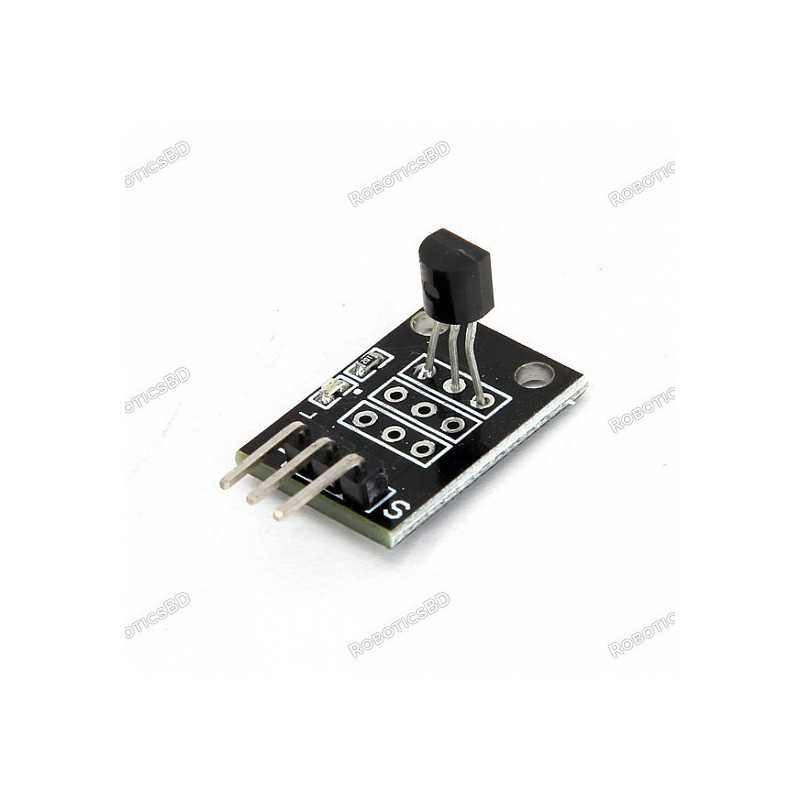
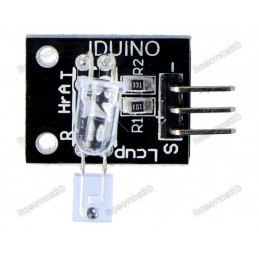
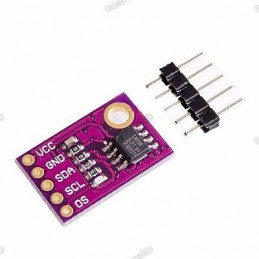
The DS18B20 Temperature Sensor Module is a compact, reliable, and easy-to-use digital sensor for accurate temperature measurement in a wide range of projects. Featuring the popular DS18B20 IC, it offers a temperature measurement range of -55°C to +85°C and uses a 1-Wire serial interface, allowing multiple sensors to be connected on a single MCU pin. Its onboard LED indicator provides real-time communication feedback, while compatibility with both 3.3V and 5V power supplies ensures flexible use with Arduino, ESP32, Raspberry Pi, STM32, and more. With readily available software libraries, this sensor is ideal for DIY electronics, industrial applications, and educational projects requiring precise temperature monitoring. Featured By RoboticsBD.
Product Images are shown for illustrative purposes only and may differ from the actual product.
RoboticsBD RoboticsBD RoboticsBD RoboticsBD RoboticsBD RoboticsBD RoboticsBD RoboticsBD RoboticsBD RoboticsBD
Features:
Wide Temperature Range: Measures from -55°C to +85°C, suitable for diverse environments.
1-Wire Communication: Saves GPIO pins by allowing multiple sensors to share one digital line.
Onboard LED Indicator: Flashes during MCU communication for easy status monitoring.
High Compatibility: Works with 3.3V and 5V systems, making it versatile across platforms.
Library Support: Easy integration with Arduino, ESP8266, ESP32, Raspberry Pi, and STM32.
Compact Design: Small module size for seamless integration into embedded systems.
RoboticsBD RoboticsBD RoboticsBD RoboticsBD RoboticsBD RoboticsBD RoboticsBD RoboticsBD RoboticsBD RoboticsBD
Applications:
DIY Electronics Projects – Monitor temperature in Arduino and Raspberry Pi projects.
Environmental Monitoring – Use in weather stations, greenhouses, and aquariums.
Industrial Control Systems – Track and regulate machine or ambient temperature.
IoT Projects – Build connected devices that report real-time temperature data.
Educational Labs – Great for learning digital communication and sensor interfacing.
RoboticsBD RoboticsBD RoboticsBD RoboticsBD RoboticsBD RoboticsBD RoboticsBD RoboticsBD RoboticsBD RoboticsBD
| General Specifications |
| Sensor IC | DS18B20 Digital Temperature Sensor |
| Measurement Range | -55°C to +85°C |
| Interface | 1-Wire Serial Communication |
| Resolution | Programmable (9 to 12-bit) |
| Power Supply | 3.3V / 5V compatible |
| Indicator | LED flashes during communication |
| MCU Compatibility | Arduino, ESP32, STM32, Raspberry Pi, etc. |
| Module Size | Compact PCB design |
| Shipment Weight | 0.0017 kg |
| Shipment Dimensions | 3 × 3 × 3 cm |
Please allow 5% measuring deviation due to manual measurement.
RoboticsBD RoboticsBD RoboticsBD RoboticsBD RoboticsBD RoboticsBD RoboticsBD RoboticsBD RoboticsBD RoboticsBD
Documentation:
Module Connections
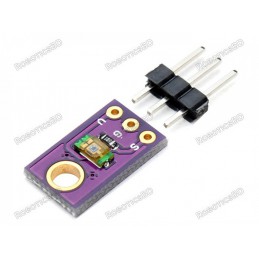
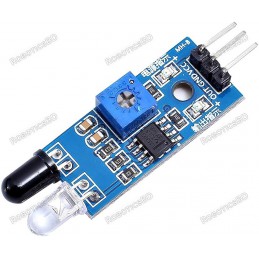
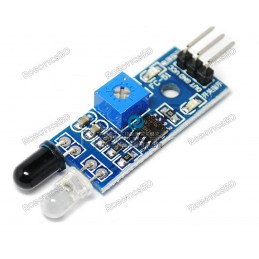
There is a 3-pin header on the assembly. There are a couple of different labeling schemes used on these modules as the baseboard is used for several different modules.
1 x 3 Header
- ‘-‘ or ‘G’ = Ground
- Center Pin or ‘R‘ = Vcc (3.3 – 5V)
- ‘S’ or ‘Y’ = 1-wire bus. Connects to digital pin on MCU
RoboticsBD RoboticsBD RoboticsBD RoboticsBD RoboticsBD RoboticsBD RoboticsBD RoboticsBD RoboticsBD RoboticsBD
OUR EVALUATION RESULTS:
This is a basic module that can be used in a number of different applications where temperature measurement is useful such as determining when a cooling fan should be turned on.
We also offer the DS18B20 device in a number of other packages including as a bare IC for designing your own circuits, a waterproof version and others.
The software below implements basic communications with the sensor using the 1-Wire bus protocol and provides a read-out of the sensor output. We use pin 4 in the example, but this can be reassigned to any digital pin.
The program uses the OneWire and DallasTemperature libraries that can be installed from the IDE Library Manger.

This shows an example output from the program.

RoboticsBD RoboticsBD RoboticsBD RoboticsBD RoboticsBD RoboticsBD RoboticsBD RoboticsBD RoboticsBD RoboticsBD
DS18B20 Digital Temperature Sensor Module Example Program
/*
DS18B20 Digital Temperature Sensor Test

Basic code to establish communication with the DS18B20 and retrieve temperature measurement data.

Requires OneWire and DallasTemperature Libraries
*/

#include <OneWire.h>
#include <DallasTemperature.h>

const int ONE_WIRE_BUS = 4;  // Define a pin for communicating to the DS18B20 device via the oneWire bus.
OneWire oneWireLocal(ONE_WIRE_BUS);   // Setup a oneWire instance to communicate with the DS18B20 device
DallasTemperature sensorsLocal(&oneWireLocal);  // Pass this oneWire reference to DallasTemperature

float tempLocal = 0.0;    // Variable for holding the temperature returned from the sensor

//===============================================================================
//  Initialization
//===============================================================================
void setup()
{
  Serial.begin (9600);      // Set output window comm rate
  sensorsLocal.begin();
}

//===============================================================================
//  Main
//===============================================================================
void loop()
{
  CheckTemps();   // Call the routine that actually does the work
  Serial.print("Current Temp: ");  // Printout the results
  Serial.println(tempLocal);

  delay(1000);
}

//===============================================================================
//  Subroutines
//===============================================================================
void CheckTemps()
{
  sensorsLocal.requestTemperatures();   // Send command to get temperature from the DS18B20
  // The sensor will return reading from previous request unless a delay is used to give it time to
  // complete the reading request.  If polling every second like we are doing here, the delay can be ignored.
  delay(100);
  tempLocal = sensorsLocal.getTempCByIndex(0);  // There can be more than one device on this same bus
                                                // so we need to use the first index of (0)
}
RoboticsBD RoboticsBD RoboticsBD RoboticsBD RoboticsBD RoboticsBD RoboticsBD RoboticsBD RoboticsBD RoboticsBD
Package Includes:
1 x DS18B20 Temperature Sensor Module
RoboticsBD RoboticsBD RoboticsBD RoboticsBD RoboticsBD RoboticsBD RoboticsBD RoboticsBD RoboticsBD RoboticsBD
RoboticsBD RoboticsBD RoboticsBD RoboticsBD RoboticsBD RoboticsBD RoboticsBD RoboticsBD RoboticsBD RoboticsBD