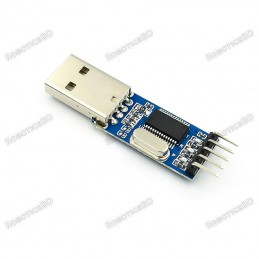
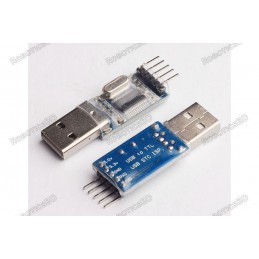
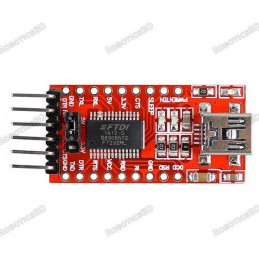
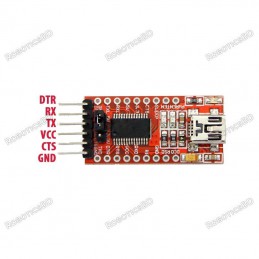
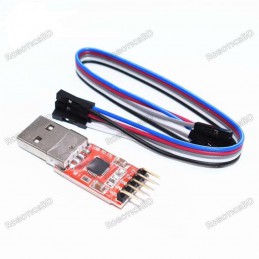
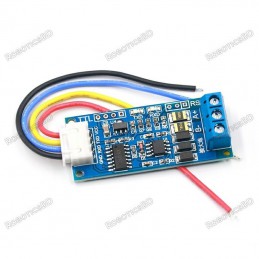
This is PL2303 PL2303HX USB To TTL(Serial) Converter Module – 5 Pin. Adopt imported controller RS232 TTL, which can stabilize the flash with high-speed 500mA self-recovery fuse for protection. RoboticsBD
Two data transmission indicator can monitor data transfer status in real-time. Reserve 3.3V and 5V pin interface, easy for DDWRT of different voltage system that needs power. The entire board is coated by a high quality transparent heat-shrinkable sleeve, making the PCB in insulation state from outside, so that the board won’t be burnt down by a material shortcut.Featured By RoboticsBD.
Product Images are shown for illustrative purposes only and may differ from the actual product.
Some low-cost Chinese converter uses old chipsets from Prolific, which have been discontinued for use. Although Windows may detect these cables, they are not functional. To resolve this issue, follow these 8 simple steps to install the correct driver.
Issue:
In Device Manager, the driver may appear as “PL2303HXA PHASED OUT SINCE 2012. PLEASE CONTACT YOUR SUPPLIER.”

Solution:
Download the driver: Obtain the necessary driver from the provided link.:
https://github.com/brucetsao/Drivers/raw/master/FAKE_PL2303/IO-Cable_PL-2303_Drivers-Generic_Windows_PL2303_Prolific.zip
Unzip the driver archive: Extract the contents of the archive to your preferred location.
Install the driver: Follow the prompts to install the driver.
Open Device Manager: Right-click on the unrecognized device and choose “Update Driver.”

Browse for drivers: Select the option “Browse my computer for drivers.”
Choose available drivers: Click “Let me pick from a list of available drivers on my computer.”

Select compatible driver: Check “Show compatible hardware,” then choose “Prolific USB-to-Serial Comm Port Version 3.3.2.105 [27/10/2008].” Click "Next."
Driver installation complete: The driver is now successfully installed and will remain functional after a reboot.

By following these steps, you should be able to resolve the issue and restore proper functionality to your FTDI cable.
RoboticsBD RoboticsBD RoboticsBD RoboticsBD RoboticsBD RoboticsBD RoboticsBD RoboticsBD RoboticsBD RoboticsBD
Applications :
- All kinds of satellite set-top box upgrade.
- Router, HDD, ADSL, broadband modem firmware upgrade or cracked upgrade.
- cellphone, XBOX360, GPS serial communication, vehicle inspection and test, DVD flash and so on.
- Burn writes STC MCU, NXP MCU, Renesas MCU, NEC MCU and so on.
- Simple UART communication commonly used UART debugging tools in the supper terminal.
- USB signal transferred to the TTL signal may be used by electronic enthusiasts.
Features :
- Adopt imported controller PL2303HX, which can stabilize the flash with high speed
- 500mA self-recovery fuse for protection.
- Two data transmission indicator can monitor data transfer status in real time.
- Reserve 3.3V and 5V pin interface, easy for the DDWRT of different voltage system that needs power.
- The entire board is coated by the high quality transparent heat-shrinkable sleeve, making the PCB in insulation state from outside.
- so that the board won’t be burnt down by material shortcut.
- The electrostatic package ensures the board will not be damaged before use. RoboticsBD
RoboticsBD RoboticsBD RoboticsBD RoboticsBD RoboticsBD RoboticsBD RoboticsBD RoboticsBD RoboticsBD RoboticsBD
| General Specification |
| Input Supply voltage (V) | 3.3 ~ 5 |
| Model | PL2303HX |
| Support | Windows 98 to Windows 7 (32 bit and 64 bit)
Mac OS 8 to OS X (32 bit and 64 bit)
Linux |
| Length (mm) | 52 |
| Width (mm) | 15.5 |
| Height (mm) | 6.5 |
| Weight (gm) | 5 |
| Shipment Weight | 0.01 kg |
| Shipment Dimensions | 6 × 3 × 2 cm |
Please allow 5% measuring deviation due to manual measurement.
RoboticsBD RoboticsBD RoboticsBD RoboticsBD RoboticsBD RoboticsBD RoboticsBD RoboticsBD RoboticsBD RoboticsBD
Installing Driver :
Before starting using UART, you need to install driver for PL2303. You can install driver in two ways. If your system is connected to internet, you can install driver using windows update otherwise you need to download the driver setup file and install it. First we will see, installing driver using windows update.
With Internet Connection :
Verify that your internet connect is OK and plug in the PL2303 USB to UART Converter to you PC.
Windows Update will automatically search for driver and install instantly if it is available.
If the automatic update doesn’t work, go to Control Panel >> System and Security >> Device Manger
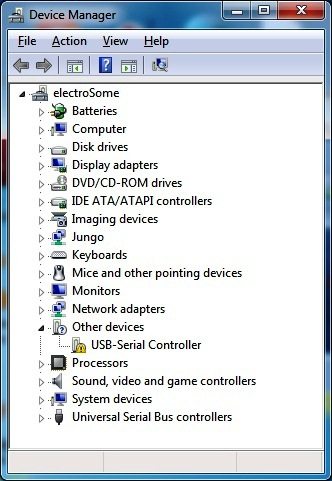
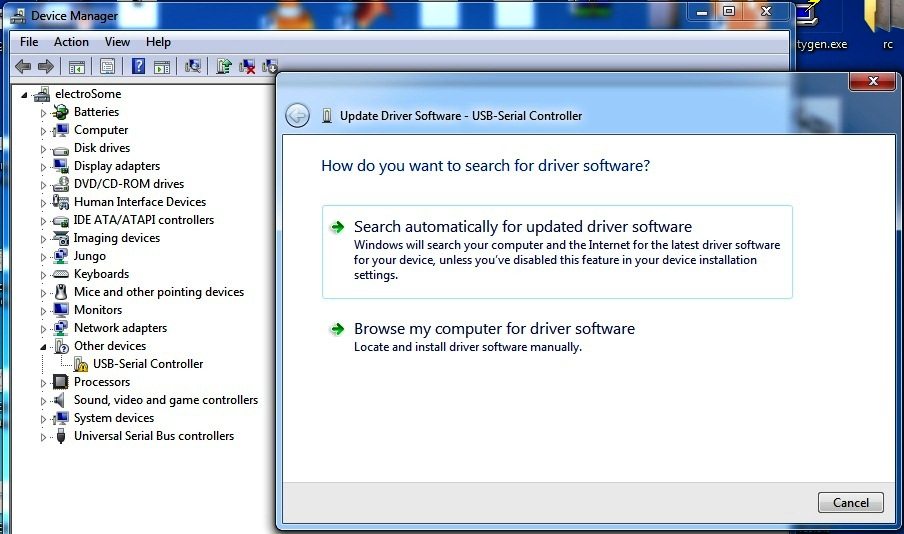
After Plug in the Device – Device Manager
- Right Click on USB-Serial Controller >> Update Driver
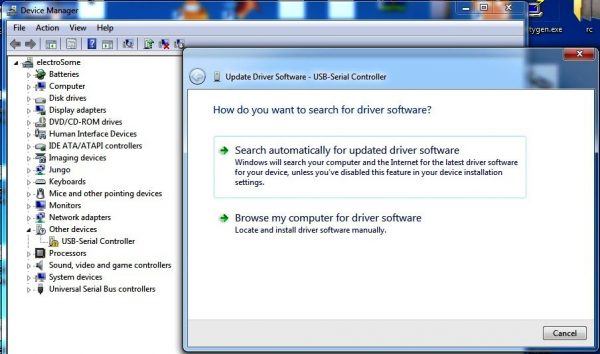
Update Driver Software
- Select “Search Automatically for updated driver software”.
- Then the Windows will Search, Download and Install the driver.
Without Internet Connection:
If your system has no internet connection, you can follow this method. But you still need to download driver setup files form some other computer which has internet connection.
Download
- Download PL2303 Driver using a computer which has internet connection.
- Copy the file to your PC and Unzip it
- http://www.prolific.com.tw/UserFiles/files/PL2303_Prolific_DriverInstaller_v1_9_0.zip
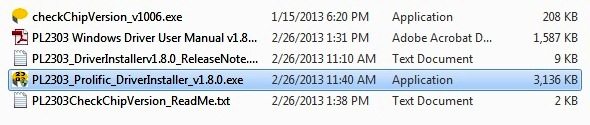
Downloaded Files
- Install PL2303_Prolific_DriverInstaller_v1.8.0 by following the on screen instructions.
- After completing the installation, plugin the PL2303 USB to UART converter to your PC
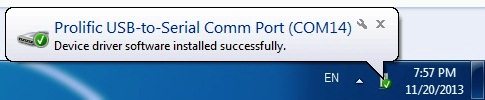
After Plug in the Device
- After completing the installation in any of the above methods, verify that the device is working fine and note the COM port number using the Device Manager.
Package Includes :
1 x PL2303 USB to TTL Serial Converter (Windows 7 & 10 Compatible)
RoboticsBD RoboticsBD RoboticsBD RoboticsBD RoboticsBD RoboticsBD RoboticsBD RoboticsBD RoboticsBD RoboticsBD
RoboticsBD RoboticsBD RoboticsBD RoboticsBD RoboticsBD RoboticsBD RoboticsBD RoboticsBD RoboticsBD RoboticsBD