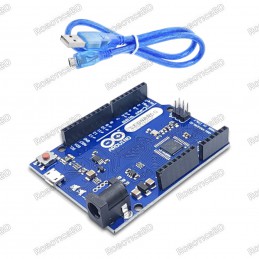
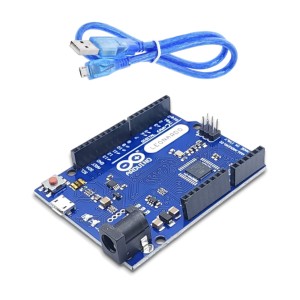
The Leonardo R3 Board Micro-USB compatible with Arduino is a micro-controller board base on the ATmega32u4. It has 20 digital input/output pins (of which 7 can be used as PWM outputs and 12 as analog inputs); a 16 MHz crystal oscillator, a micro-USB connection, a power jack, an ICSP header, and a reset button.
It contains everything need to support the microcontroller; simply connect it to a computer with a USB cable or power it with an AC-to-DC adapter or battery to get started.
The Leonardo R3 Board differs from all preceding boards in that the ATmega32u4 has built-in USB communication, eliminating the need for a secondary processor.
This allows the Leonardo to appear to a connected computer as a mouse and keyboard; in addition to a virtual (CDC) serial / COM port. It also has other implications for the behavior of the board.
Leonardo R3 USB Serial Port has disappeared from IDE
The Arduino Leonardo stands apart from other Arduinos, like the Uno and Mega, as it lacks a built-in USB serial chip. One microcontroller is responsible for both the USB stack and your code. If you upload code without the USB stack, your PC won't recognize the Leonardo. In this case, you can press the reset button to display the serial port on your PC for 3-5 seconds. During this time, you can upload your code.
While Arduino Leonardo is connected to your computer, press its reset button. A COM for Arduino Leonardo appears under the Arduino IDE: Tools > Port: You should upload the code within a few seconds just after you press the reset button while the Leonardo COM is appearing.
The USB stack and your sketch both run on the same microcontroller in this board, which means there's a possibility that your sketch code could interfere with the USB functionality.
Luckily, the upload code (bootloader) resides in a separate memory section, so it remains unaffected by your sketch code's actions.
However, triggering the bootloader requires precise timing during the upload process. Ordinarily, a specific segment of your sketch code that recognizes a 1200 baud connection signals the microcontroller to reset and activate the bootloader. But in your present scenario, this mechanism won't function as expected. Therefore, you'll need to manually reset the board to initiate the bootloader.
Timing is crucial. Resetting the board too early might cause the bootloader to time out before the upload begins. The challenge arises from the fact that when you click the "Upload" button in the Arduino IDE, it first compiles your sketch prior to commencing the upload. Hence, you must wait until the compilation completes before resetting the board.
Follow these steps:
Go to the Arduino IDE's menus and select Sketch > Upload.
Monitor the console window at the bottom of the IDE until you see a message like this:
python
Sketch uses 444bytes (1%) of program storage space. Maximum is30720bytes. Global variables use 9bytes (0%) of dynamic memory, leaving 2039bytesfor local variables. Maximum is2048bytes.
Quickly press and release the reset button on the Arduino board immediately after the compilation message appears.
Your sketch should now upload successfully. If the issue persists even after a successful upload, it indicates that something within your sketch is interfering with the USB functionality. You can verify this by creating a new sketch via File > New. If the board is then recognized by your computer and you can upload normally, the issue is indeed in your original sketch. In that case, you'll need to identify and rectify the part of your sketch that's causing the USB disruption.Featured By RoboticsBD.
Product Images are shown for illustrative purposes only and may differ from the actual product.
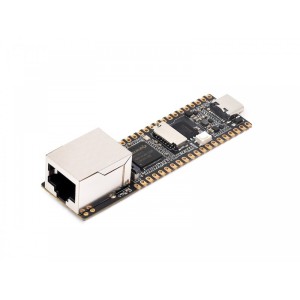
High-performance Linux development board based on ARM Cortex-A7 + RISC-V dual-core architecture. Features integrated NPU (0.5–1.0 TOPS) for AI acceleration and ISP for image processing Equipped with 64MB DDR2 RAM, 128MB NAND Flash, and MIPI CSI camera interface. Built-in Ethernet, USB 2.0, TF card slot, and GPIOs for flexible connectivity. Ideal for AI...
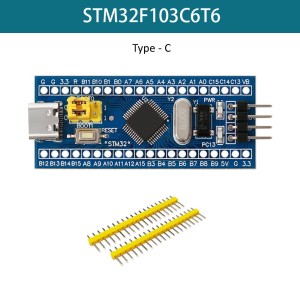
STM32F103C6T6 Blue Pill Type-C 32-bit ARM Cortex-M3 MCU 72MHz clock speed with 32KB Flash & 10KB SRAM USB Type-C interface for modern connectivity Dual 12-bit ADC with up to 16 channels Supports I2C, SPI, USART, CAN, USB communication Ideal for embedded systems, IoT, automation & robotics
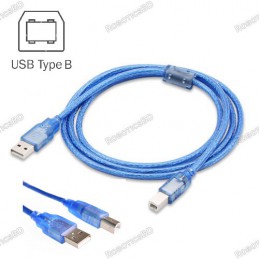
USB Type: Type-A to Type-B Weight: 26 gm. Length: 50 cm Long cable for easy work Fully compatible with the PC. Molded strain relief and PVC over-molding to ensure a lifetime of error-free data transmissions.
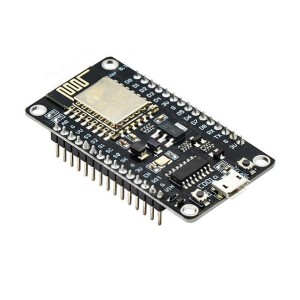
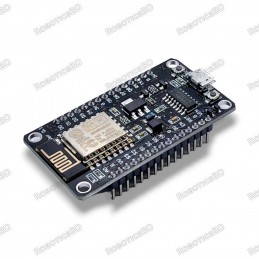
The Development Kit based on ESP8266, integrates GPIO, PWM, IIC, 1-Wire and ADC all in one board. Power your development in the fastest way combine with NodeMCU Firmware! R2 version had CP2102 USB-TTL instead, larger current support, slim board can put on breadboard. Programing it with Arduino IDE. A high-quality USB cable is essential for this board to...
Chipboard STM32F103C8T6 On board, SWIM interface and reset button Micro USB line or the 2.54 pin to link to the power with the input voltage 4.5V-15V. Power light and the Demo indicator light Leads all the pins and has detailed label for the Pins. Support SWIM debug mode. RoboticsBD
Powerful and versatile ESP32 SoC with WiFi and Bluetooth connectivity 4MB of flash memory and 520KB of SRAM for storing firmware and data Compatible with the Arduino development environment for easy programming Input/output pins for connecting to sensors, actuators, and other peripherals Can be programmed using MicroPython, a high-level programming...
Arduino Nano-compatible development board powered by ATmega328P microcontroller. Features a modern USB Type-C connector for power and programming. Equipped with CH340G USB-to-serial chip for stable communication. Compact, breadboard-friendly design for easy prototyping. Fully compatible with Arduino IDE and existing Nano libraries. Ideal for IoT,...
Arduino Ethernet Shield W5100 R3 for Arduino UNO, Mega 2560, Duemilanove Built-in WizNet W5100 TCP/IP microprocessor for easy network connectivity Supports up to 4 simultaneous socket connections Includes Micro-SD card slot for network storage expansion Fully compatible with Arduino IDE Ethernet library for quick programming PoE (Power-over-Ethernet)...
The ESP32 WROOM-32D CP2102 Development Board with Micro USB offers a reliable and efficient platform for embedded development, featuring the versatile ESP32-WROOM-32D module. Equipped with the CP2102 USB-to-serial interface and Micro USB port, this board provides seamless connectivity for uploading code and serial communication. It is well-suited for DIY...
USB Driver: Original CH340 Driver Operating Voltage (logic level): 5V With Mini USB 8 analog inputs ports: A0 ~ A7 14 Digital input / output ports: TX, RX, D2 ~ D13 1 pair of TTL level serial transceiver ports RX / TX Using Atmel Atmega328P-AU MCU There is a bootloader installed in it Standard 0.1” spacing DIP (breadboard friendly). Manual reset switch....
Manufacturer: Arduino Officials Micro-controller : ATmega328P. Operating Voltage: 5V. Input Voltage (recommended) : 7-12V. Digital I/O Pins: 14 (of which 6 provide PWM output). Analog Input Pins: 6.Imported from DFrobot (04-June-2025)Made in ItalyArduino SKU: A000066
Compact Wemos D1 Mini NodeMCU ESP8266 WiFi development board Compatible with Arduino IDE, NodeMCU (Lua), and MicroPython firmware Breaks out all ESP8266 ESP-12E/F pins for versatile connectivity Includes additional 3V3 and GND pins with onboard flash button Requires high-quality USB cable for stable power and recognition Ideal for IoT, automation, and DIY...
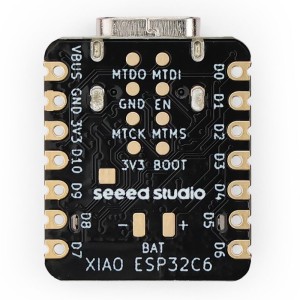
The Seeed Studio XIAO ESP32-C6 is a thumb-sized, feature-rich microcontroller board built around Espressif’s powerful ESP32-C6 chip. Designed for next-generation IoT applications, it delivers robust multi-protocol wireless connectivity including Wi-Fi 6, Bluetooth 5 LE, Zigbee, and Thread—all within a compact 21 x 17.8mm form factor. With support for the...
Power input: 4.5V ~ 9V (10VMAX), USB-powered Transfer rate: 110-460800bps Support UART / GPIO data communication interface Support Smart Link Smart Networking Working temperature: -40°C ~ + 125°C Drive Type: Dual high-power H-bridge Don’t need to download resetting A great set of tools to develop ESP8266 Flash size: 4MByte Lowest cost WI-FI Note: The...
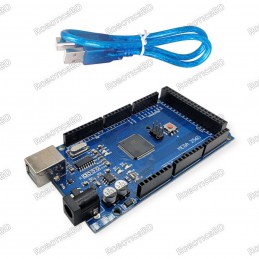
Programmer: CH340 Operating Voltage 5V Input Voltage (recommended) 7-12V Input Voltage (limits) 6-20V Digital I/O Pins 54 (of which 15 provide PWM output) Analog Input Pins 16 DC Current per I/O Pin 40 mA DC Current for 3.3V Pin 50 mA Flash Memory 256 KB of which 8 KB used by bootloader
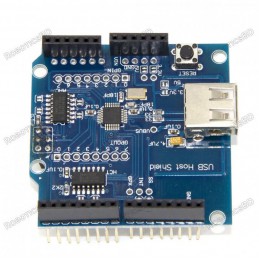
Works with standard (dual 5/3.3V) and 3.3V-only (for example, Pro Arduino) boards. Complies with USB Specification Revision 2.0 (Full-Speed 12Mbps Peripheral, Full-/Low-Speed 12Mbps/1.5Mbps Host) Supports HID devices, such as keyboards, mice, joysticks, etc. Compatible with Mass storage devices, such as USB sticks, memory card readers, external hard...
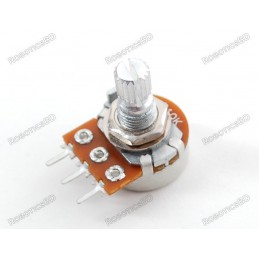
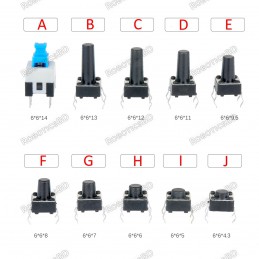
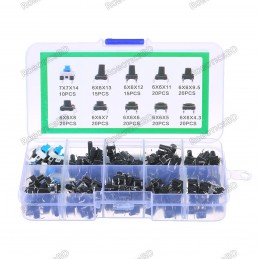
Through-hole design. Shaft Shape: Round Base Size (mm): 6mm and 7mm Middle stroke 1.05mm and 2mm Shaft Size: 10 different Size (find the details in Package Includes section below) Please Choose Size Below:
Tie-points: 170 (10×17) Size: 48 x 35 x 10 mm(LxWxH). Use: experimental, testing, robot Matching jumper, diameter 0.8mm Phosphor bronze nickel plated spring clips Accepts a variety of wire sizes (29-20 the AWG) **1 pcs Random Color
Connect components on breadboards and PCBs with ease. 20 pre-crimped jumper wires for versatile use. 20cm length for convenient connections. Male-to-female connector design for flexible connections. Colorful for easy identification and organization.