
Banner

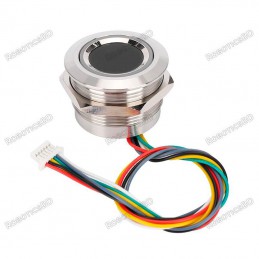
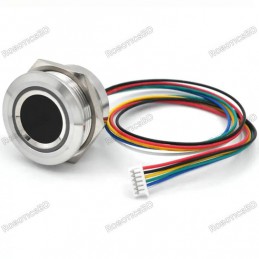
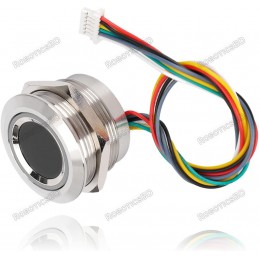
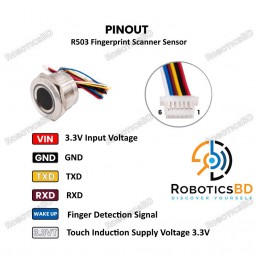
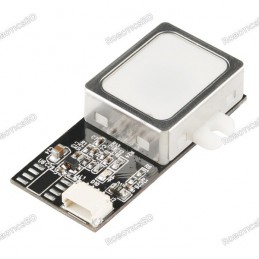
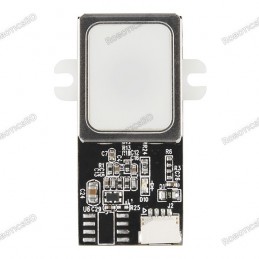
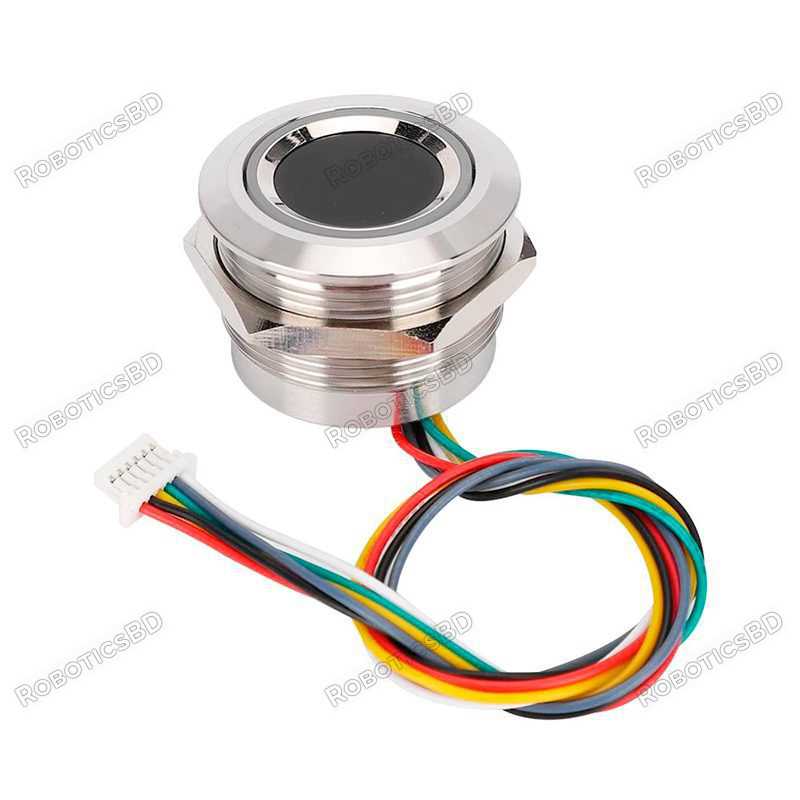
The R503 Waterproof Capacitive Fingerprint Module Sensor Scanner is a compact and efficient biometric solution designed for security and access control systems. Capable of storing up to 200 unique fingerprints, this module ensures accurate and quick recognition through its advanced capacitive touch panel. It features a built-in configurable LED indicator for status feedback, including enrollment success, errors, and access confirmation. With a simple 6-pin interface supporting power, finger detection signal, and UART communication (Tx/Rx), the R503 can be easily integrated with Arduino, ESP32, PIC, and other microcontroller boards. Its durable, waterproof build makes it suitable for both indoor and outdoor use, while the included mounting nut ensures easy installation. Perfect for attendance systems, smart locks, and custom security projects, this fingerprint sensor provides a reliable and user-friendly solution for modern biometric applications. Featured By RoboticsBD.
Product Images are shown for illustrative purposes only and may differ from the actual product.
RoboticsBD RoboticsBD RoboticsBD RoboticsBD RoboticsBD RoboticsBD RoboticsBD RoboticsBD RoboticsBD RoboticsBD
High Accuracy Recognition – Capacitive sensor ensures precise fingerprint detection.
200 Fingerprint Capacity – Stores multiple unique users for shared access systems.
Waterproof Design – Reliable operation in various environmental conditions.
Configurable LED Indicator – Provides real-time feedback on fingerprint status.
Simple Integration – UART interface supports Arduino, ESP32, PIC, and other boards.
Compact & Easy to Mount – Includes nut for stable installation.
Low Power Consumption – Efficient for embedded and portable projects.
RoboticsBD RoboticsBD RoboticsBD RoboticsBD RoboticsBD RoboticsBD RoboticsBD RoboticsBD RoboticsBD RoboticsBD
Access Control Systems – Smart door locks, safes, and restricted entry zones.
Attendance Tracking – Biometric employee or student attendance systems.
IoT Security Projects – Integration with ESP32 or Arduino for custom security.
Smart Home Automation – Control devices with fingerprint authentication.
Industrial Security – Equipment protection and operator-level access.
RoboticsBD RoboticsBD RoboticsBD RoboticsBD RoboticsBD RoboticsBD RoboticsBD RoboticsBD RoboticsBD RoboticsBD
| General Specifications | |
| Model | R503 Capacitive Fingerprint Sensor |
| Fingerprint Capacity | Up to 200 |
| Communication Interface | UART (Tx, Rx) |
| Power Supply | 3.3V – 6V DC |
| Detection Method | Capacitive Touch |
| LED Indicator | Configurable multi-color |
| Pin Count | 6 (VCC, GND, Tx, Rx, Touch, Finger Detection) |
| Installation | Nut for easy mounting |
| Applications | Security, access control, attendance, IoT |
| Waterproof | Yes |
| Shipment Weight | 0.0342 kg |
| Shipment Dimensions (cm) | 5 × 3 × 3 |
Please allow 5% measuring deviation due to manual measurement.
RoboticsBD RoboticsBD RoboticsBD RoboticsBD RoboticsBD RoboticsBD RoboticsBD RoboticsBD RoboticsBD RoboticsBD
How does the R503 Fingerprint Sensor work?
The sensor generally works with two functions:
When registering, the user must place their finger twice so that the module can process both images and generate a template to save it. In reader mode the system will generate another template and make a comparison with those already saved. The module works with a half-duplex serial protocol, so through a serial monitor you can send commands to change the color of the LED indicator, delete saved fingerprints, choose the record where to save, among others.
Test R503 Sensor Dactyla
In order to test the module, you need to install the library in the Arduino IDE Adafruit_Fingerprint,
We will make the following connections on our Arduino Uno development board:
Cables:

Later we will use the following code in our IDE to program our Arduino, this code records and saves the fingerprints detected by the sensor:
#include <Adafruit_Fingerprint.h>

#if (defined(__AVR__) || defined(ESP8266)) && !defined(__AVR_ATmega2560__)
// For Arduino Uno or other devices without serial hardware, we must use serial software...
// pin #2 is sensor input (Yellow Wire)
// pin #3 is arduino output (Brown Wire)
SoftwareSerial mySerial(2, 3); //Serial port configuration for serial software
#else
// For Leonardo/M0/etc, others with serial hardware, use serial hardware!
// #0 is the yellow wire, #1 is brown
#define mySerial Serial1

#endif

Adafruit_Fingerprint finger = Adafruit_Fingerprint(&mySerial);

uint8_t id;

void setup()

{
Serial.begin(9600);
while (!Serial); // Para Yun/Leo/Micro/Zero/...
delay(100);
Serial.println("nnAdafruit Fingerprint Registro de Huellas");

// Configuring data transmission for the serial port
finger.begin(57600);

// Check connection with the sensor
if (finger.verifyPassword()) {
   Serial.println(" Sensor encontrado!");
} else {
  Serial.println("No se encontró sensor de huellas :(");
  while (1) { delay(1); }
}

// Reading sensor parameters
Serial.println(F("Leyendo parámetros del sensor"));
finger.getParameters();
Serial.print(F("Estatus: 0x")); Serial.println(finger.status_reg, HEX);
Serial.print(F("Sys ID: 0x")); Serial.println(finger.system_id, HEX);
Serial.print(F("Capacidad: ")); Serial.println(finger.capacity);
Serial.print(F("Nivel de Seguridad: ")); Serial.println(finger.security_level);
Serial.print(F("Dirección del Dispositivo: ")); Serial.println(finger.device_addr, HEX);
Serial.print(F("Longitud del paquete: ")); Serial.println(finger.packet_len);
Serial.print(F("Rango de Baudios: ")); Serial.println(finger.baud_rate);
}

uint8_t readnumber(void) {
uint8_t num = 0;

while (num == 0) {
while (! Serial.available());
num = Serial.parseInt();
}
return num;
}

void loop() //Repeat over and over again
{

// Fingerprint registration address choice
Serial.println("Ready to register fingerprint!"< a i=4>);
Serial.println("Please write the ID # (of the 1 to 127) in which you want to register your fingerprint...");
id = readnumber();
if (id == 0) {// ID #0 not allowed, try again!
   return;
}
Serial.print("Registrando ID #");
Serial.println(id);

while (! getFingerprintEnroll() );
}

// Fingerprint registration
uint8_t getFingerprintEnroll() {

int p = -1;
Serial.print("Esperando una huella valida para registrar en #"); Serial.println(id);
while (p != FINGERPRINT_OK) {
  p = finger.getImage();
  switch (p) {
   case FINGERPRINT_OK:
     Serial.println("Imagen obtenida");
   break;
   case FINGERPRINT_NOFINGER:
     Serial.println(".");
   break;
   case FINGERPRINT_PACKETRECIEVEERR:
     Serial.println("Error de comunicación");
   break;
   case FINGERPRINT_IMAGEFAIL:
     Serial.println("Error de Imagen");
   break;
   default:
     Serial.println("Error desconocido");
   break;
  }
}

// OK Success!

p = finger.image2Tz(1);
switch (p) {
 case FINGERPRINT_OK:
   Serial.println("Imagen Convertida");
 break;
 case FINGERPRINT_IMAGEMESS:
   Serial.println("Imagen muy confusa");
 return p;
 case FINGERPRINT_PACKETRECIEVEERR:
   Serial.println("Error de comunicación");
 return p;
 case FINGERPRINT_FEATUREFAIL:
   Serial.println("No se pueden encontrar las caracteristicas de la huella");
 return p;
 case FINGERPRINT_INVALIDIMAGE:
   Serial.println("No se pueden encontrar las caracteristicas de la huella");
 return p;
 default:
   Serial.println("Error desconocido");
 return p;
}

// Get second fingerprint image
Serial.println("Retira el dedo");
delay(2000);
p = 0;
while (p != FINGERPRINT_NOFINGER) {
  p = finger.getImage();
}
Serial.print("ID "); Serial.println(id);
p = -1;
Serial.println("Coloca el mismo dedo otra vez");
while (p != FINGERPRINT_OK) {
  p = finger.getImage();
switch (p) {
 case FINGERPRINT_OK:
   Serial.println("Imagen obtenida");
 break;
 case FINGERPRINT_NOFINGER:
   Serial.print(".");
 break;
 case FINGERPRINT_PACKETRECIEVEERR:
   Serial.println("Error de comunicación");
 break;
 case FINGERPRINT_IMAGEFAIL:
   Serial.println("Error de imagen");
 break;
 default:
   Serial.println("Error desconocido");
 break;
}
}

// OK Success!

p = finger.image2Tz(2);
switch (p) {
 case FINGERPRINT_OK:
   Serial.println("Imagen convertida");
 break;
 case FINGERPRINT_IMAGEMESS:
   Serial.println("Imagen muy confusa");
 return p;
 case FINGERPRINT_PACKETRECIEVEERR:
   Serial.println("Error de comunicación");
 return p;
case FINGERPRINT_FEATUREFAIL:
   Serial.println("No se pueden encontrar las características de la huella");
return p;
case FINGERPRINT_INVALIDIMAGE:
  Serial.println("No se pueden encontrar las características de la huella");
return p;
default:
  Serial.println("Error desconocido");
return p;
}

// OK converted!
Serial.print("Creando el modelo para #"); Serial.println(id);

p = finger.createModel();
if (p == FINGERPRINT_OK) {
  Serial.println("Han coincidido las huellas!");
} else if (p == FINGERPRINT_PACKETRECIEVEERR) {
  Serial.println("Error de comunicación");
  return p;
} else if (p == FINGERPRINT_ENROLLMISMATCH) {
  Serial.println("Las huellas no coinciden");
  return p;
} else {
  Serial.println("Error desconocido");
  return p;
}

Serial.print("ID "); Serial.println(id);
p = finger.storeModel(id);
if (p == FINGERPRINT_OK) {
  Serial.println("Guardado!");
} else if (p == FINGERPRINT_PACKETRECIEVEERR) {
  Serial.println("Error de comunicación");
  return p;
} else if (p == FINGERPRINT_BADLOCATION) {
  Serial.println("No se puede guardar en esa ubicación");
  return p;
} else if (p == FINGERPRINT_FLASHERR) {
  Serial.println("Error de escritura en la memoria flash");
  return p;
} else {
  Serial.println("Error desconocido");
  return p;
}

return true;
}
Remember that in order to view the operation of the code you must open the serial monitor:

If you require more examples of use, for example to detect if the fingerprints are already saved, configure the LED indicator or delete fingerprint records, you can access the examples that the library has from here or from the Arduino IDE:

1 x R503 Waterproof Capacitive Fingerprint Module Sensor Scanner
RoboticsBD RoboticsBD RoboticsBD RoboticsBD RoboticsBD RoboticsBD RoboticsBD RoboticsBD RoboticsBD RoboticsBD
RoboticsBD RoboticsBD RoboticsBD RoboticsBD RoboticsBD RoboticsBD RoboticsBD RoboticsBD RoboticsBD RoboticsBD
Specific References
Your review appreciation cannot be sent
Report comment
Report sent
Your report cannot be sent
Write your review
Review sent
Your review cannot be sent
Reference: RBD-1200
Reference: RBD-0523
We'll slide into your inbox when the product is back in stock.
Reference: RBD-2533
Reference: RBD-1423
Brand: Raspberry Pi Official
Reference: RBD-0441
Reference: RBD-3846
Reference: RBD-2141
Reference: RBD-2214
Reference: RBD-0142
We'll slide into your inbox when the product is back in stock.
Reference: RBD-3739
Reference: RBD-1206
We'll slide into your inbox when the product is back in stock.
Reference: RBD-3814
Brand: DFRobot
Reference: RBD-1942
Reference: RBD-0680
Reference: RBD-0307
Reference: RBD-1198
Reference: RBD-0181
Reference: RBD-0289
Reference: RBD-0351
Reference: RBD-0685
Reference: RBD-0702
Reference: RBD-0947
Reference: RBD-1043
Reference: RBD-1081
Brand: Raspberry Pi Official
check_circle
check_circle