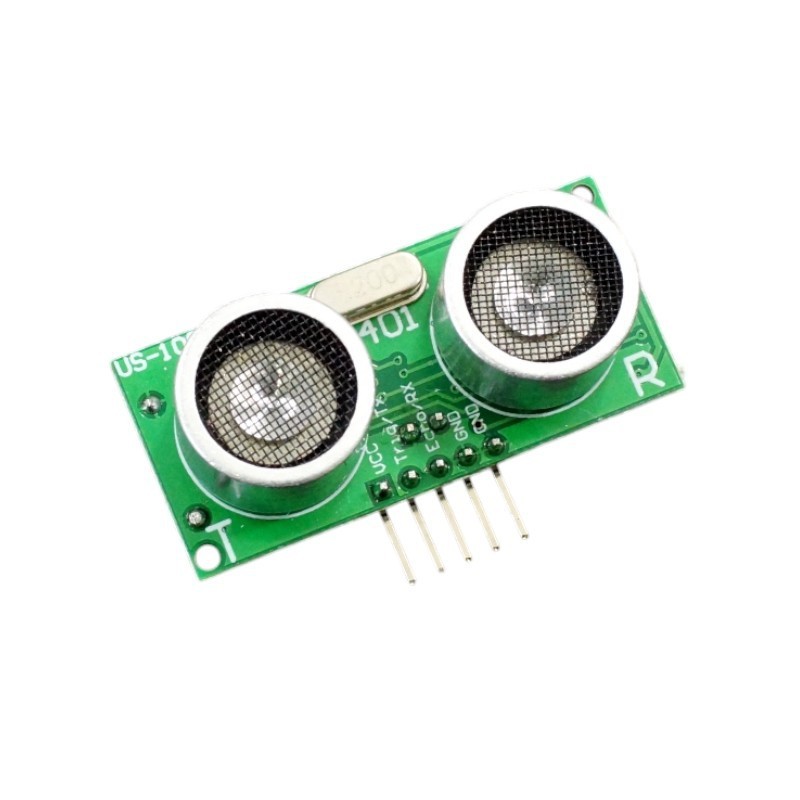
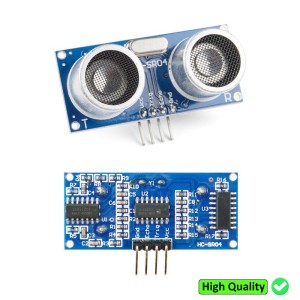
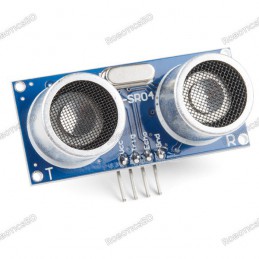
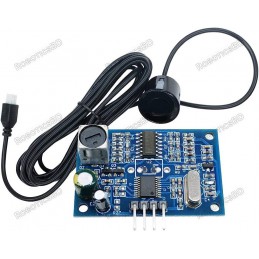
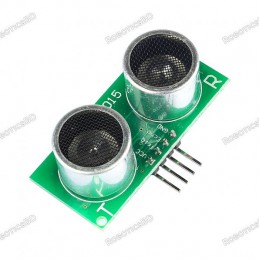
The US-100 Ultrasonic Range Finder Module is a high-precision distance measurement sensor that uses ultrasonic sound waves to detect and measure the distance to nearby objects from 2 cm up to 450 cm (15 ft) with 1 mm accuracy. It supports both pulse-width (ping) and serial UART communication modes, allowing flexible integration with various microcontrollers such as Arduino, ESP32, Raspberry Pi, and STM32. Unlike optical sensors, the US-100 is unaffected by light or color, ensuring reliable operation in diverse environments. Its built-in temperature sensor automatically compensates for air temperature variations, maintaining consistent accuracy. Compact, efficient, and easy to interface, the US-100 is perfect for robotic obstacle avoidance, distance measurement, and smart automation systems. Featured By RoboticsBD.
Product Images are shown for illustrative purposes only and may differ from the actual product.
The way the pulse-width interface on the module works is as follows:
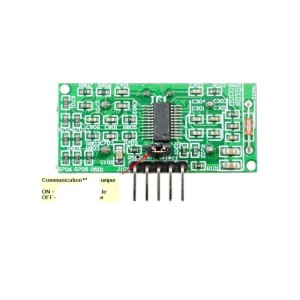
Jumper is removed
The module is normally idle.
A 10 uSec or wider pulse is sent to the TRIG pin on the module, usually by a microcontroller. This will cause the module to start a detection cycle.
The module emits eight bursts of 40KHz sound and sets it’s ECHO pin output HIGH.
When the signal is reflected back from an object and is detected by the module, the ECHO pin is set back to LOW.
By measuring the amount of time that the ECHO pin is held HIGH, the distance to the object can be calculated using basic formula (Time that ECHO is held HIGH * Speed of sound / 2) The divide by 2 is because the sound has to travel in both directions (both out and back) and we want to know just the out distance.
If an echo is not returned (no object detected), the module will still lower the ECHO pin after a fixed delay. This delay may vary, but is about 200mSec on the modules that I have measured. This is required to prevent the module from hanging.
A serial command ‘0x55’ is sent to the module to initiate a reading.
The serial port is checked for the returned data that comes back in 2 bytes. An MSB and a LSB byte.
The 2 bytes are added together to get the measurement in millimeters after shifting the MSB byte over by multiplying it by 256 similar to this (MSByte * 256) + LSByte
If the temperature reading is desired, a serial command of ‘0x50’ is sent to initiate a temperature reading.
The serial port is checked for the returned data that comes back as a single byte.
A constant value of 45 is subtracted from the byte to get the temperature in degrees C.
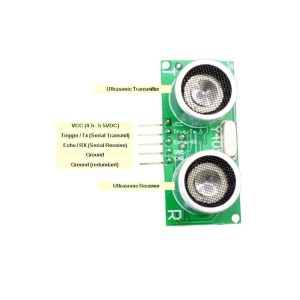
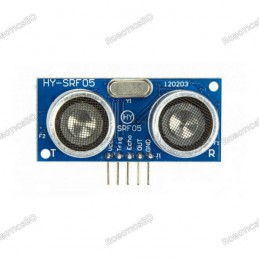
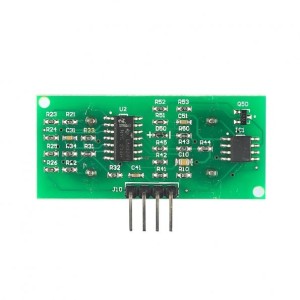
There is a 5-pin header on the assembly. The GND pins are connected to the system ground and the Vcc pin is connected to 5V. The TRIG/TX pin has different functions depending on whether the jumper on the back of the module is installed or not. If the jumper is installed, it is the serial TX pin that connects to TX pin on a microcontroller. If the jumper is removed, it is the input Trigger pin on which a 10uSec pulse is applied to start the measurement cycle. The ECHO/RX pin also has different functions depending on the jumper on the back of the module. If the jumper is installed, it is the RX pin that connects to the RX pin on the microcontroller. If the jumper is removed it is an output pin that is held HIGH for the duration of the time from when the module sends a 40KHz pulse out until it receives the echo back.
This is a commonly used module for obstacle detection and basic range finding. These are much more capable than the basic IR obstacle avoidance sensors that come in sensor kits and are highly recommended if you are building a motorized robotic car and want to implement a nicely capable obstacle avoidance system or just want to measure distance for some other reason.
The module has a small microprocessor which does all the heavy lifting of managing the ultrasonic and temperature sensors, doing the calculations when using serial mode and managing serial I/O.
The serial I/O is a significant improvement over using the pulse-width interface and its use is highly recommended. Given that, the pulse-width method is also interesting to implement and experiment with and this module lets you do both. A program that implement the pulse width interface can be found on our HY-SRF05 page and is compatible with this sensor.
As an interesting aside, it has been noticed that when using serial mode, if the 5V power is removed the module continues to work, apparently due to parasitic power being pulled off the serial comm lines.
The program below implements a serial interface with the module and displays the measured range in millimeters, centimeters and inches on the Serial Monitor. To use the serial mode of operation, ensure that the jumper is installed on the back of the module.
Note that we use SoftSerial library to implement a software serial port. This is mainly required when using on an UNO or other MCU with a single hardware serial port to avoid conflict between the sensor serial port and the USB serial port. If using a Mega or some other microcontroller with multiple hardware serial ports, you can use one of those instead if you prefer.
SoftSerial does require interrupt capability on the incoming RX line so we are using pins 10 for TX and 11 or RX since most of the Arduino series supports interrupts on both of these pins. You will also need to connect 5V to Vcc and Ground to one of the GND pins.
/* * US-100 Ultrasonic Test - Serial Interface Mode * * Exercises the ultrasonic range finder module in serial mode * and prints out the current measured distance and temperature * This uses 'softserial' to communicate with the module to avoid any conflict * with the HW serial port if using an UNO. * VCC - connect to 5V * GND - connect to ground. The 2 grounds are tied together on the module * TRIG/TX - connect to digital pin 10 * ECHO/RX - connect to digital pin 11 * * For Serial mode of operation, ensure the jumper is installed on the back * of the module */#include<SoftwareSerial.h>;
constintUS_100_TX=10;// Pin for Soft Serial TXconstintUS_100_RX=11;// Pin for Soft Serial RX// Create instance of soft serial port for comm with moduleSoftwareSerialUS_100_Port(US_100_RX,US_100_TX);unsignedintMSByte=0;// Most Significant Byte of distance measurementunsignedintLSByte=0;// Least Significant Byte of distance measurementunsignedintmmDist=0;// Returned distance in millimetersinttemp=0;// Returned temp measurement//===============================================================================// Initialization//=============================================================================== voidsetup(){Serial.begin(9600);// Initialize the serial portsUS_100_Port.begin(9600);}//===============================================================================// Main//=============================================================================== voidloop(){US_100_Port.flush();// Clear the port buffer US_100_Port.write(0x55);// Request distance measurementdelay(500);// Give the sensor a little time to make the measurementif(US_100_Port.available()>=2)// Looking for 2 bytes to be returned{MSByte=US_100_Port.read();// Read in the MSB (Most Significant Byte) dataLSByte=US_100_Port.read();// Read in the LSB (Least Significant Byte) datammDist=MSByte*256+LSByte;// Calculate the distance from the two bytesif((mmDist>20)&&(mmDist<4500))// Check that reading is within a valid range.{Serial.print("Distance: ");// Printout distance in millimeters, centimeters and inchesSerial.print(mmDist);Serial.print("mm ");Serial.print(mmDist/10);Serial.print("cm ");Serial.print(mmDist/25.4,2);Serial.println("in");}elseSerial.println("OUT OF RANGE");}US_100_Port.flush();// Clear the serial port bufferUS_100_Port.write(0x50);// Request temperature measurementdelay(500);if(US_100_Port.available()>=1)// Looking for 1 byte to be returned{temp=US_100_Port.read();// Read the byteif((temp>1)&&(temp<100))// Check for valid temperature range{temp-=45;// Temp data has to be offset by -45ºSerial.print("Temperature: ");Serial.print(temp);Serial.println("C.");Serial.println("");}}delay(1000);}
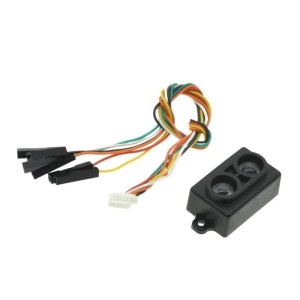
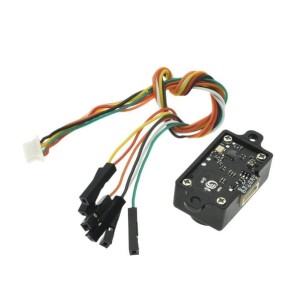
GY-TOF10M TOF infrared laser ranging sensor with up to 10m measuring distance Supports IIC, serial port, and switch output modes for versatile integration High precision: ±5cm (15cm–3m), ±1.5% (3m–10m) accuracy 1–200Hz update frequency ensures fast real-time data acquisition Compact, lightweight (5g) module with only 26×16×12.5mm size Ideal for robotics,...
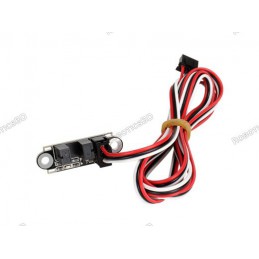
Optical Endstop Switch with 1m cable for 3D printers and IR beam applications Detects travel limits, object presence, or beam interruptions reliably Integrated green LED indicator lights when beam is broken Compatible with both 3.3V and 5V logic systems 100cm 24AWG cable with 3-pin 2.54mm JST connectors for easy integration Ideal for 3D printers, security...
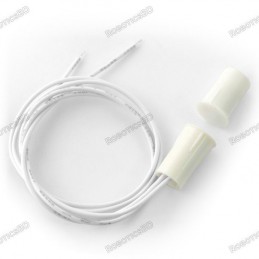
Compact magnetic reed switch sensor for door/window position detection Normally open (NO) design closes circuit when magnet is nearby Simple to integrate with Arduino, microcontrollers, and alarm systems Small form factor: reed switch 11 × 16 mm, magnet 11 × 15 mm Includes ~35 cm cable for flexible installation Ideal for security systems, smart homes, and...
We'll slide into your inbox when the product is back in stock.
You have successfully subscribed to this product
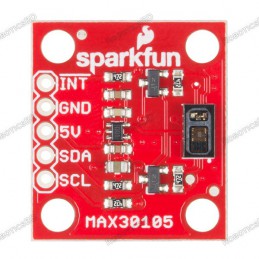
Features: Built-in Red, IR, and Green LEDs 5V operation (3.3V is allowed, but green LED is not guaranteed to operate) Applications include presence detection, distance sensing (18" max), pulse oximetry, blood oxygen saturation level (SpO2), smoke and particle detection Documents: Schematic Eagle Files Hookup Guide Datasheet (MAX30105) MAX3010x Sensor...
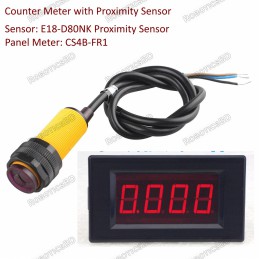
Digital auto counter meter with infrared proximity sensor 24V power supply Adjustable sensing range from 3 to 80 cm Easy to mount chassis Diffuse reflective type light source DC 3-wire NPN-NO output Sensory distance regulator and output LED indicator
Digital proximity and ambient light sensor with up to 20 cm detection range Communicates via I2C (TWI) interface for easy microcontroller integration Compatible with 3.3V and 5V systems — suitable for Arduino, ESP32, and Raspberry Pi Measures both distance and ambient light intensity accurately Compact 23×23mm module ideal for robotics, automation, and...
We'll slide into your inbox when the product is back in stock.
You have successfully subscribed to this product
Measured variable Position Measuring principle Magneto-resistive Ambient temperature -40 °C ... 70 °C Repetition accuracy 0.2 mm Switching output PNP Switching element function N/O contact On time ≤1.3 ms Switch-off time ≤1.4 ms Max. switching frequency 150 Hz Max. output current 100 mA Max. output current in mounting kits 50 mA Max. switching capacity DC...
The DYP-L08 Ultrasonic Underwater Ranging Sensor is a compact and highly accurate sensor module engineered specifically for underwater applications such as obstacle avoidance, distance measurement, and automatic control. Featuring IP68 waterproofing and the ability to operate reliably at depths of up to 10 meters, this sensor is ideal for submersible...
We'll slide into your inbox when the product is back in stock.
You have successfully subscribed to this product
Approximates Human eye Response Extremely wide dynamic range 1 to 600,000,000 Counts Lux Range: 188u Lux sensitivity, up to 88,000 Lux input measurements Voltage range: 3.3-5V into the onboard regulator This board/chip uses I2C 7-bit addresses 0x29 and 0x28. RoboticsBD
Onboard STM8S103 high-performance microprocessor With digital tube display Valid Measurement Distance: 3-400cm Display Unit: cm Maximum Input Voltage: 5VDC 2.54mm White Socket: 5V power interface.
This analog infrared distance sensor module is a compact and reliable solution for measuring distances in the range of 10 cm to 150 cm (4″ to 60″). It is well suited for robotics, obstacle detection, automation, and interactive projects where non-contact distance measurement is required.
Distance Range (Radius): 0.15m to 6m, white objects (Diameter Range – 12m) Angular Range: 0 ~ 360º Distance Resolution: < 0.5mm Angular Resolution: <= 1 º Sample Duration: 0.5 ms Sample Frequency: >=8000 Hz Scan Rate: 1 ~ 10Hz, Typical 5.5HzNote: The range of this RPLiDAR is 6-meter if we are considering radius and 12-meter if we are considering...
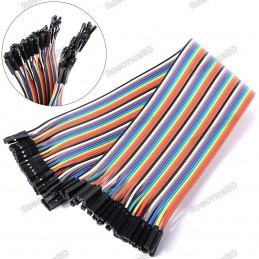
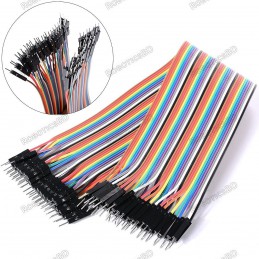
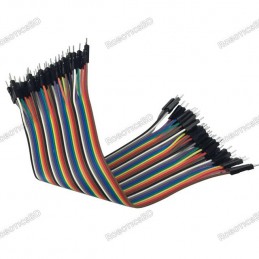
40P color jumper wires Length: 300mm Weight: 45 gm Compatible with 2.54mm spacing pin headers High quality and in good working condition Durable and reusable Easy to install and use
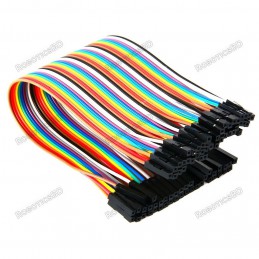
40P color jumper wires Length: 300mm Weight: 45 gm Compatible with 2.54mm spacing pin headers High quality and in good working condition Durable and reusable Easy to install and use
High-precision ultrasonic distance measurement up to 450cm (15ft) Operates at 40kHz with ±2mm accuracy for reliable readings ±15° field of view for wide detection coverage 5V operation, compatible with Arduino, Raspberry Pi, and other microcontrollers Enhanced precision compared to HC-SR04 with better stability Ideal for robotics, automation, and obstacle...
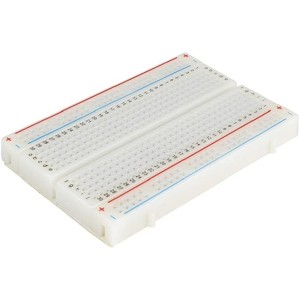
400 tie points 2 Power lanes, Total 100 tie points in power lanes 1 Double strip, Total 300 tie points Perfect for Arduino shield prototyping and testing Plastic housing, metal contact clips
Tie-points: 170 (10×17) Size: 48 x 35 x 10 mm(LxWxH). Use: experimental, testing, robot Matching jumper, diameter 0.8mm Phosphor bronze nickel plated spring clips Accepts a variety of wire sizes (29-20 the AWG) **1 pcs Random Color
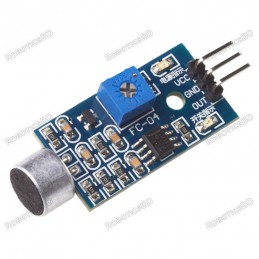
Main chip: LM393, Electret condenser microphone Working voltage: DC 3.3-5V Induction distance is 0.5M Signal output Indication Single channel signal output The output effective signal is low level.
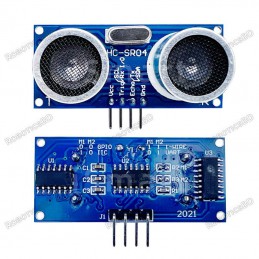
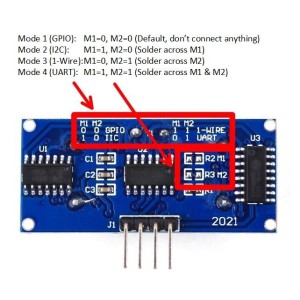
Upgraded 2021 version of HC-SR04 with advanced communication modes Wide input voltage range: 2.8V – 5.5V, compatible with 3.3V & 5V systems Supports four communication modes: GPIO, I2C, 1-Wire, and UART High-precision distance measurement: 2cm to 400cm with stable performance Easy jumper configuration for selecting communication modes Ideal for...
This is the HC-SR04 ultrasonic distance sensor. This economical sensor provides 2cm to 400cm of non-contact measurement functionality with a ranging accuracy that can reach up to 3mm. Each HC-SR04 module includes an ultrasonic transmitter, a receiver and a control circuit. There are only four pins that you need to worry about on the HC-SR04: VCC (Power),...
Integrated with wire enclosed waterproof probe, suitable for wet, harsh measurement occasions Small size, easy to use Operating Voltage: 5 V Sonar Sensing Range: 25-450 cm Max. Sensing Range: 450 cm Frequency: 40 KHz. RoboticsBD
We'll slide into your inbox when the product is back in stock.
You have successfully subscribed to this product
Working voltage: DC 5 V Static current: 3 mA Working temperature: 0 ~ + 70° Output way: GPIO Induction Angle: Less than 15° Detection range:2 cm to 400 cm Detecting precision: 0.3 cm + 1% Sensor size: Approx. 45 x 20 x 1.6mm Hole diameter: Approx. 1mm. RoboticsBD
BDT 255
BDT 255tax incl.
BDT 255tax excl.
BDT 255tax excl.
BDT 255tax incl.
BDT 255tax incl.
BDT 0Tax
BDT 255tax excl.
BDT 255tax excl.
BDT 0Tax
BDT 255tax incl.
Sold-out
In stock:0
Ultrasonic distance and obstacle detection module with up to 450 cm range and 1 mm resolution.
Operates in two modes — serial (UART) and pulse-width (trigger/echo).
Features built-in temperature compensation for accurate distance calculation.
Works at 5 V DC with very low current draw (<3 mA).
Ideal for robotics, automation, and distance-sensing applications.